

What is SocialBu?
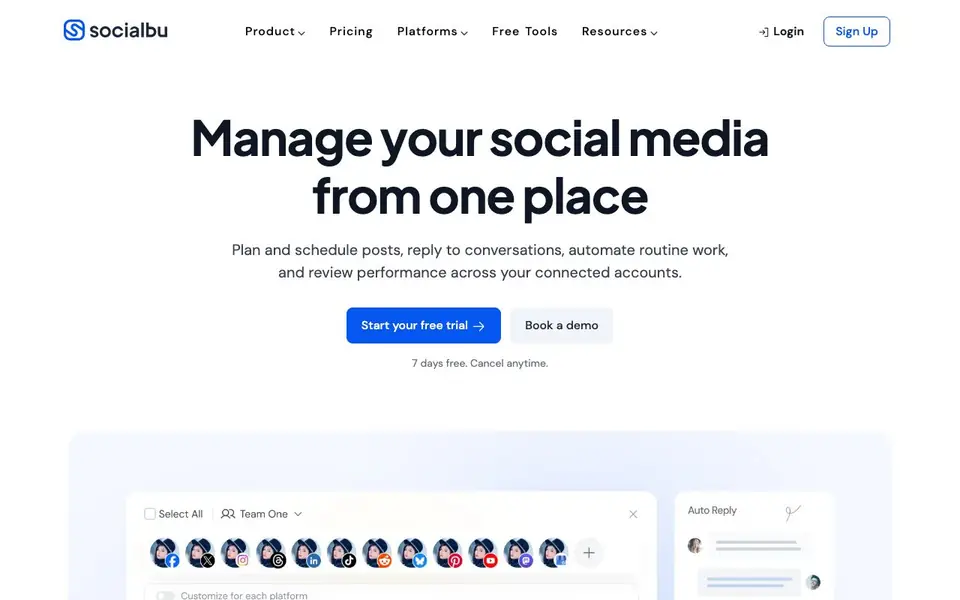
SocialBu is a social media management platform that helps you handle multiple accounts from one dashboard. You can plan and schedule posts, reply to conversations, automate routine tasks, and review performance across your connected networks. It also includes AI tools for drafting captions and other social content.
You start by connecting your social accounts. Then you create posts, customize options for each network, and choose a publishing time or add content to a queue. The AI features let you generate captions and refine drafts before publishing. You can also set up listening streams to track mentions and keywords, and manage all messages, comments, and reviews from a single inbox.
SocialBu suits social media managers, marketing teams, and agencies that handle multiple accounts. It offers collaboration features so you can invite teammates and control permissions without sharing passwords. The website mentions a 7-day free trial, and you can cancel anytime. It works on the web, on your phone, and through a Chrome extension.
SocialBu features
- AI post generation: Draft captions and social content with AI tools, then edit before publishing.
- Content curation: Collect content from sources you follow and turn selected links into drafts.
- Social listening: Create streams to track relevant mentions and keywords across supported sources.
- Unified inbox: View and respond to messages, comments, and reviews from all connected accounts.
- Automation rules: Build workflows around RSS feeds, social activity, and webhooks with triggers and actions.
What you can do with SocialBu
- Schedule posts across multiple social accounts from one calendar.
- Generate captions for your posts using AI and refine them before publishing.
- Monitor brand mentions and keywords with custom listening streams.
- Assign conversations to team members and track their status in a shared inbox.
How to get started with SocialBu
- Sign up for a 7-day free trial on the SocialBu website.
- Connect your social media accounts to the platform.
- Start creating posts, setting up automation rules, and managing your inbox.
Tips for better results with SocialBu
- Connect all your social accounts first, then use SocialBu's unified inbox to handle messages and comments in one place instead of switching between apps.
- Use SocialBu's AI caption generator to draft posts, then edit the output for each network before scheduling to match tone and length.
- Set up listening streams for your brand name and key keywords, then review matches daily to catch mentions you would otherwise miss.
- Build automation rules around RSS feeds or webhooks to turn new content into drafts, saving time on repetitive posting tasks.
SocialBu pricing
SocialBu offers a free trial before you pay. Check socialbu.com for current plans.
What to check before you rely on SocialBu
- Confirm which social networks SocialBu supports for publishing, listening, and inbox features, since the website does not list all platforms.
- Check the plan limits for team members, connected accounts, and scheduled posts, as the website only mentions a 7-day free trial.
- Review SocialBu's data privacy and security policies before connecting business accounts, since the website does not detail how your data is handled.
Who SocialBu is for
SocialBu suits social media managers, marketing teams, agencies and small business owners. If that is not you, the AI marketing tools below may fit better.
Similar tools compared with SocialBu
| Tool | What it is | Pricing |
|---|---|---|
| SocialBu | Social media management and AI assistant | Free trial |
| Copy.ai | AI-native go-to-market platform | See website |
| Jasper | AI agent workspace for marketing teams | Free trial |
| Writesonic | AI search growth and visibility platform | See website |
| Predis.ai | AI ad generator for video, UGC, and images | Freemium |
SocialBu FAQ
What does SocialBu do?
SocialBu helps you manage social media from one place. You can plan and schedule posts, reply to conversations, automate routine work, and review performance across your connected accounts.
Is there a free trial?
Yes, SocialBu offers a 7-day free trial. You can cancel anytime during the trial period. The website does not state whether a free plan exists beyond the trial.
Who is SocialBu for?
SocialBu is designed for individuals, marketing teams, and agencies that manage multiple social media accounts. It includes collaboration features for inviting teammates and controlling permissions.
Can I use SocialBu with AI assistants?
Yes, SocialBu provides an MCP server that lets you work with the platform through compatible AI assistants. You can create posts, review schedules, and manage tasks in natural language.
Which social networks can I connect to SocialBu?
SocialBu lets you connect multiple social accounts from one dashboard, but the website does not list the specific networks it supports. To see which platforms are compatible, check the supported platforms section on socialbu.com or contact their team directly.
Does SocialBu have a mobile app?
SocialBu works on the web, on your phone, and through a Chrome extension. The website does not specify whether a dedicated mobile app is available, but you can access SocialBu from a mobile browser. For more details, visit the platforms section on socialbu.com.
What does the SocialBu free trial include?
SocialBu offers a 7-day free trial that you can cancel anytime. The website does not detail what features are included in the trial, but it likely gives you access to the core features like scheduling, AI generation, and the unified inbox. Check the pricing page on socialbu.com for specifics.


