

What is SmartlyQ?
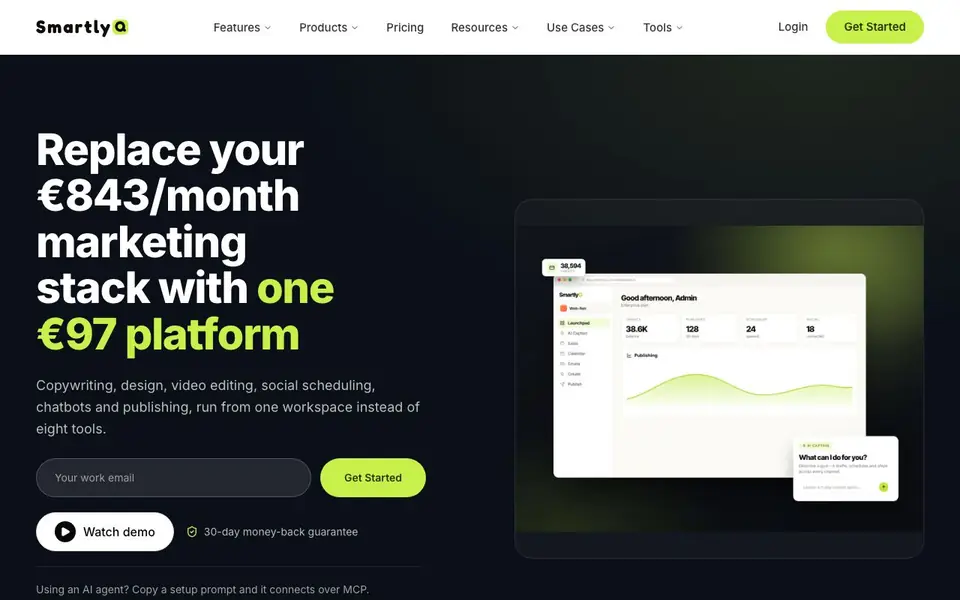
SmartlyQ is an all-in-one AI platform that combines content creation, social media scheduling, video editing, chatbots, email, and CRM into a single workspace. It aims to replace a stack of eight separate tools, saving you money and time spent switching between them. The platform is designed for solo founders and marketing teams who want to run their marketing on autopilot.
You start by connecting your channels and tools through 40+ integrations, including Meta, Google Ads, Shopify, and WordPress. Then you can create content with custom assistants trained on your business knowledge, apply your brand voice, and schedule posts across major social platforms from one calendar. The platform also cuts short-form videos for TikTok, Reels, and Shorts from longer footage, and sets up chatbots that answer, qualify, and book visitors.
SmartlyQ suits businesses that want to streamline their marketing operations. The website mentions a 30-day money-back guarantee and a 5-star customer rating. It states that over 1,000 businesses use the platform, and it highlights savings of over €800 per month on tools alone. The platform uses a shared credit wallet for all features, and you can start for free.
SmartlyQ features
- Custom AI assistants: Train assistants on your own business knowledge for tailored content generation.
- Brand voice application: Ensure every piece of content matches your brand's tone automatically.
- Short-form video editing: Cut TikToks, Reels, and Shorts from one long video in the workspace.
- Social scheduling: Schedule posts to every major social platform from a single calendar.
- Chatbot for visitors: Answer, qualify, and book website visitors with an integrated chatbot.
What you can do with SmartlyQ
- Create SEO-optimized content with your brand voice for blog posts and social media.
- Cut long videos into short clips for TikTok, Reels, and Shorts without leaving the platform.
- Schedule all your social media posts from one calendar to save time.
- Set up a chatbot to answer visitor questions and book appointments on your website.
How to get started with SmartlyQ
- Sign up for a free account on SmartlyQ's website.
- Connect your channels and tools through the 40+ integrations.
- Start creating content, scheduling posts, and setting up chatbots in one workspace.
Tips for better results with SmartlyQ
- Train SmartlyQ custom assistants on your own business knowledge first, then generate content, so every post matches your brand voice and avoids generic output.
- Connect all your channels and tools through the 40+ integrations before scheduling, so SmartlyQ can pull data and publish consistently without manual copying.
- Use SmartlyQ to cut one long video into multiple short clips for TikTok, Reels, and Shorts, then schedule them from the same calendar to save editing time.
- Set up a SmartlyQ chatbot to answer and qualify visitors, and test it with real questions before going live to ensure it books appointments correctly.
- Review your credit wallet usage across features in SmartlyQ, since all tools share the same credits, and adjust your workflow to avoid running out mid-month.
SmartlyQ pricing
SmartlyQ has a free way to start, with paid plans for heavier use. Check smartlyq.com for current limits and prices.
What to check before you rely on SmartlyQ
- Check the free plan's credit limits and feature access on SmartlyQ's pricing page, since the website does not list exact free tier allowances.
- Verify which of the 40+ integrations you actually need are supported, as the website lists examples but not the full catalog.
- Confirm the data privacy and security measures for your business content and customer data, as the website does not state specific compliance details.
- Check whether SmartlyQ exports your content and CRM data in standard formats, since the website does not mention export options.
- Review the 30-day money-back guarantee terms carefully, as the website does not specify conditions or exclusions for refunds.
Who SmartlyQ is for
SmartlyQ suits solo founders, marketing teams, agencies and brand managers. If that is not you, the AI marketing tools below may fit better.
Similar tools compared with SmartlyQ
| Tool | What it is | Pricing |
|---|---|---|
| SmartlyQ | All-in-one AI marketing platform | Freemium |
| Copy.ai | AI-native go-to-market platform | See website |
| Jasper | AI agent workspace for marketing teams | Free trial |
| Writesonic | AI search growth and visibility platform | See website |
| Predis.ai | AI ad generator for video, UGC, and images | Freemium |
SmartlyQ FAQ
What does SmartlyQ do?
SmartlyQ is an all-in-one AI marketing platform. It combines content creation, social scheduling, video editing, chatbots, email, and CRM into one workspace. You can manage your entire marketing stack without switching between eight different tools.
Is SmartlyQ free to use?
The website says you can 'Start free,' which suggests there is a free plan. It also mentions a paid plan at €97 per month and a 30-day money-back guarantee. The exact details of the free plan are not specified on the homepage.
Who is SmartlyQ for?
SmartlyQ is for solo founders, marketers, and full marketing teams. It is designed for businesses that want to replace multiple subscriptions with one platform. The website mentions over 1,000 businesses using it, from individuals to agencies.
What integrations does SmartlyQ support?
SmartlyQ supports 40+ integrations, including Meta, Google Ads, Shopify, WooCommerce, Stripe, PayPal, WordPress, Google Analytics, Slack, Zapier, Canva, Zoom, Google Calendar, ActiveCampaign, Discord, and TikTok. You can connect your channels and tools in a few clicks.
Does SmartlyQ have a mobile app or does it only work in a web browser?
The SmartlyQ website does not mention a dedicated mobile app. It describes the platform as a workspace you access online, so you likely use it through a web browser on your computer or mobile device. For specific device requirements, check the SmartlyQ pricing or help pages.
What does the SmartlyQ free plan include and how many credits do you get?
SmartlyQ is freemium, so you can start for free, but the website does not specify exactly what the free plan includes or how many credits you get. It mentions a shared credit wallet for all features. To see the free plan details, check the SmartlyQ pricing page.
Can SmartlyQ export content or data to other tools like Google Docs or CSV files?
SmartlyQ lists 40+ integrations including WordPress, Google Analytics, and Slack, but the website does not mention exporting content to Google Docs or CSV files. It focuses on connecting channels and tools you already use. For export options, check the SmartlyQ integrations list or contact support.


