

What is Simplified?
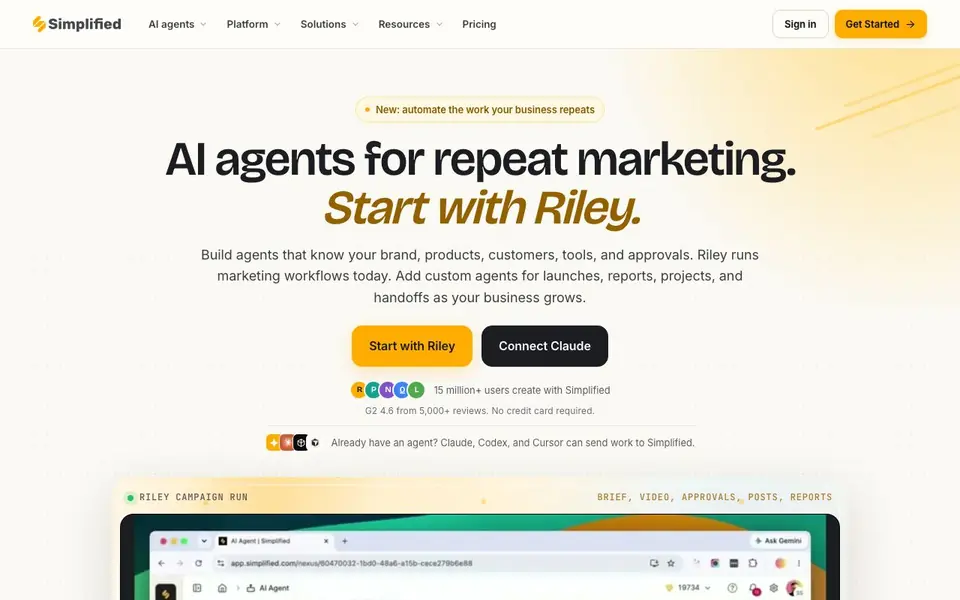
Simplified is an AI agent platform built for marketing teams. It focuses on automating the work your business repeats, like launches, reports, and handoffs. The main agent, Riley, can plan, create, and publish campaigns while your team stays in control of every approval.
You start by giving Riley a brief with your goal, audience, offer, channels, and brand rules. Riley then builds the campaign, pulling in strategy, creative, brand, video, captions, and scheduling. You review the work in one place, approve it, and assets move to the right channels with the schedule attached. Riley also reports back on what ran and what worked.
The platform includes tools for AI design, writing, video, ads, presentations, and a brand kit. It connects to 10+ social channels and 30+ integrations like Notion, Google Analytics, and Google Docs. You can also connect Claude, Codex, or Cursor to send work to Simplified. The website mentions 15 million+ users and a G2 rating of 4.6 from 5,000+ reviews.
Simplified features
- Riley AI agent: Plans, creates, and publishes campaigns from a single brief automatically.
- Brand Kit: Keeps your brand rules, colors, and assets applied across all content.
- Social calendar: Schedules and organizes posts across multiple channels in one view.
- Approvals: Lets your team review and approve work before anything goes live.
- MCP server: Allows Claude, Codex, and Cursor to send work to Simplified.
What you can do with Simplified
- Plan a weekly content calendar with Riley from one brief.
- Create and schedule social posts for a product launch.
- Generate UGC-style testimonial videos from a product page.
- Automate campaign reports and handoffs to your team.
How to get started with Simplified
- Sign up and start with Riley, your AI marketing agent.
- Give Riley a brief with your goal, audience, offer, channels, and brand rules.
- Review, approve, and ship the campaign; then set it to repeat automatically.
Tips for better results with Simplified
- Give Riley a complete brief with goal, audience, offer, channels, and brand rules so it plans and creates without guessing. The more detail you provide, the closer the output matches your campaign.
- Use Simplified's Brand Kit to keep colors, fonts, and assets consistent across all content. Set it up once, and Riley will apply it automatically to every post, video, or ad it generates.
- Review and approve everything in the single dashboard before publishing. Simplified keeps control with you, so check each asset and schedule there to catch issues before anything goes live.
- Connect Simplified to Claude, Codex, or Cursor if you already use those tools. This lets you send work directly into Simplified, so you avoid duplicating effort across platforms.
- checks
Simplified pricing
Simplified’s homepage does not list prices. Check simplified.com for current plans.
What to check before you rely on Simplified
- Check whether Simplified's free plan or trial includes Riley's full automation, since the website does not list pricing or plan limits, and you may need to pay for advanced features.
- Verify which of the 10+ social channels and 30+ integrations you actually need are supported, because the site lists them but does not specify every platform or its setup requirements.
- Confirm how Simplified handles your data and privacy, especially for AI-generated content and brand assets, as the website does not state its data retention or security policies clearly.
Who Simplified is for
Simplified suits marketing teams, social media managers, content creators and small business owners. If that is not you, the AI marketing tools below may fit better.
Similar tools compared with Simplified
| Tool | What it is | Pricing |
|---|---|---|
| Simplified | AI agent platform for marketing teams | See website |
| Copy.ai | AI-native go-to-market platform | See website |
| Jasper | AI agent workspace for marketing teams | Free trial |
| Writesonic | AI search growth and visibility platform | See website |
| Predis.ai | AI ad generator for video, UGC, and images | Freemium |
Simplified FAQ
What does Simplified do?
Simplified is an AI agent platform for marketing teams. It automates the whole campaign process, from planning and creating content to publishing and reporting, so you don't have to juggle multiple tools.
Is Simplified free to use?
The website says no credit card is required to get started, but it does not state whether there is a free plan or only a trial. Check the pricing page for details.
Who is Simplified for?
It is built for marketing teams, social media managers, and content creators who handle recurring marketing work like launches, reports, and social posts. It also suits small businesses that want to automate repeat tasks.
What can I create with Simplified?
You can create social posts, videos, ads, presentations, and written content. Riley can also generate UGC-style testimonial videos and schedule everything across multiple channels.
Can Simplified export my content to other tools or platforms?
Simplified connects to 10+ social channels and 30+ integrations like Notion, Google Analytics, and Google Docs. The website also mentions an API, webhooks, and a CLI for custom connections. For specific export options beyond these, check the integrations page or contact support.
Does Simplified work on mobile devices or only on desktop?
The Simplified website does not specify which devices or platforms it runs on. It is likely accessible via web browser, but for mobile app availability or offline use, check the official website or app stores. The site does not mention any device limitations.
What does the free plan of Simplified include?
The website says 'No credit card required' and mentions 15 million+ users, but it does not detail what the free plan includes. For exact features, limits, and whether a free plan exists, visit the Pricing page on simplified.com. The site does not specify free plan details.


