

What is Riffusion?
Google Flow Music is a generative AI platform for making music. You can create full-length songs with rich musicality and dynamic vocals using the Lyria 3.5 model. It also lets you remix unreleased tracks, split stems, and add audio effects. The platform is designed for anyone from hobbyists to artists and producers.
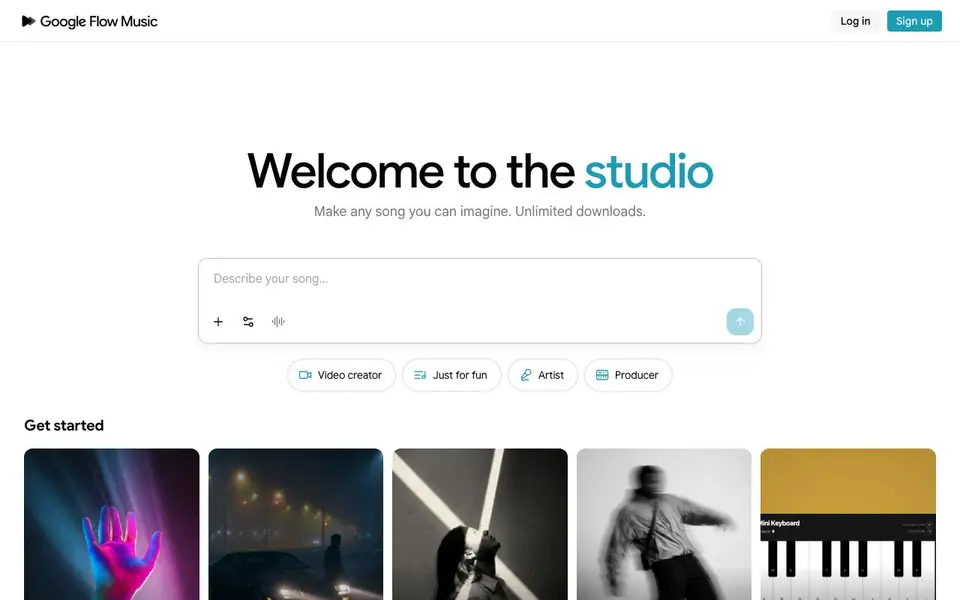
To start, you sign up and get daily credits. You can chat with the Producer like you're in a studio, describing the song you want. The tool learns your style over time and personalizes results. You can also use the Veo video model to direct music videos, controlling characters and aesthetics without a crew.
Beyond music, you can vibe-code audio plugins, music games, or custom DAWs in your space. You can publish songs, create playlists, and follow artists. The site says it's free to start with no credit card required, and offers unlimited downloads.
Riffusion features
- Chat with Producer: Describe songs conversationally and get full-length tracks with rich vocals.
- Lyria 3.5 model: Latest frontier music model for detailed control over every aspect of your song.
- Music video creation: Use the Veo model to direct videos with your own characters and aesthetics.
- Stem split and remix: Separate audio stems and remix unreleased tracks directly in the platform.
- Vibe-code space: Build custom audio plugins, music games, or DAWs with your own code.
What you can do with Riffusion
- Create background music for your videos with the video creator mode.
- Remix unreleased tracks to make your own versions.
- Generate custom FX and instruments for your productions.
- Make tracks for your vocal performances.
How to get started with Riffusion
- Sign up on the site and get started with daily credits.
- Chat with the Producer to describe the song you want to create.
- Use the tools to remix, split stems, or direct a music video.
Tips for better results with Riffusion
- Describe your song in detail when chatting with the Producer, mentioning genre, tempo, mood, and instruments, so Riffusion can generate a track that matches your vision.
- Use Riffusion's remix and stem split features on your own unreleased tracks to explore variations, but start with a clear idea of which elements you want to keep or change.
- Experiment with the video creator mode in Riffusion to pair your generated songs with visuals, controlling characters and aesthetics to make the final output more engaging.
- Take advantage of daily credits by planning your sessions ahead, and use Riffusion's learning feature by creating consistently so it adapts to your personal style over time.
Riffusion pricing
Riffusion has a free way to start, with paid plans for heavier use. Check flowmusic.app for current limits and prices.
What to check before you rely on Riffusion
- Check whether the daily credit limit is enough for your workflow, since the website does not state how many credits you get per day or what actions consume them.
- Verify the terms for commercial use of songs you generate, as the website does not specify licensing rights or restrictions for publishing or selling your music.
- Confirm the export formats and audio quality available for downloads, because the site mentions unlimited downloads but does not list file types or resolution.
Who Riffusion is for
Riffusion suits hobby musicians, video creators, artists and producers. If that is not you, the AI music generators below may fit better.
Similar tools compared with Riffusion
| Tool | What it is | Pricing |
|---|---|---|
| Riffusion | AI music studio for songs and videos | Freemium |
| AIVA | AI music generation assistant | Freemium |
| Soundraw | AI music generator for royalty-free beats | Freemium |
| Suno | AI music and song generator | Freemium |
| ElevenLabs | AI voice generator and voice agents platform | Freemium |
Riffusion FAQ
What can I make with Google Flow Music?
You can create full-length songs with vocals, remix unreleased tracks, split stems, add audio effects, and make music videos. You can also vibe-code custom audio plugins or games.
Is Google Flow Music free?
The site says it's free to start with no credit card required. You get daily credits, but the exact limits of the free plan are not stated on the homepage.
Who is Google Flow Music for?
It's for anyone making music for fun, creating music for videos, artists, and producers. The interface offers modes like 'Just for fun', 'Artist', and 'Producer'.
Can I share my songs on the platform?
Yes. You can create playlists, publish your songs, follow other artists, and discover new music every day through the share features.
Can I use Riffusion (flowmusic.app) on my phone or tablet?
The Riffusion (flowmusic.app) website does not specify which devices or platforms it supports. To find out if there is a mobile app or if the web version works on your phone or tablet, check the site's help or support pages after you sign in.
What can I export or download from Riffusion (flowmusic.app)?
Riffusion (flowmusic.app) states that it offers unlimited downloads for the songs you create. The website does not mention exporting stems, video files, or other specific file types. For details on what formats you can download, check your account settings or the platform's help section.
Does Riffusion (flowmusic.app) require an account to use?
Yes, to use Riffusion (flowmusic.app) you need to sign up and log in. The site says it is free to start and does not require a credit card. After signing up, you receive daily credits to create music and access other features.


