

What is Postwise?
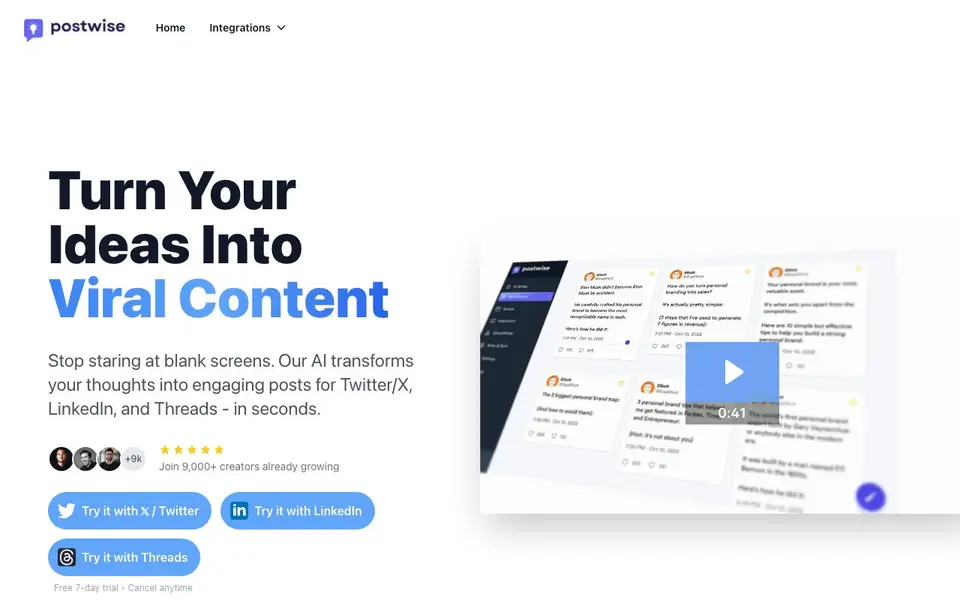
Postwise is a social media content tool that helps you stop staring at blank screens. You give it a simple idea, and its AI writes engaging posts for Twitter/X, LinkedIn, and Threads in seconds. It is built for creators who want to grow their audience without spending hours writing and scheduling.
You start by typing what you want to say. The AI, trained on high-performing posts, turns that into several options designed for engagement. You pick the best ones, batch-create weeks of content in one session, and schedule everything from a single dashboard. Each platform gets content tailored to its own audience and format.
Postwise also includes growth features like repurposing your viral posts and tracking engagement. It suits solo creators, entrepreneurs, and small teams who post regularly. The website mentions a free 7-day trial, then paid plans start at $37 per month for the Basic plan, which includes 400 AI credits, 6 months of scheduling, and connecting 5 accounts.
Postwise features
- AI post writer: Turns your rough ideas into multiple engaging posts for Twitter, LinkedIn, and Threads.
- Multi-platform scheduling: Schedule content to Twitter/X, LinkedIn, and Threads from one dashboard.
- Viral post repurposing: Reuse your best-performing posts to create new content and extend their reach.
- Engagement tracking: Monitor how your posts perform so you can build your audience systematically.
- Batch content creation: Create weeks of posts in one session and let the tool handle the rest.
What you can do with Postwise
- Write a week of Twitter posts from a single idea in minutes.
- Schedule LinkedIn content for your personal brand ahead of time.
- Repurpose a viral post into new content for Threads.
- Track engagement to see which post styles work best for your audience.
How to get started with Postwise
- Sign up and start the free 7-day trial from the Postwise website.
- Connect your Twitter, LinkedIn, or Threads account.
- Type in an idea and let the AI generate posts, then schedule them.
Tips for better results with Postwise
- Start with a clear, specific idea in Postwise rather than a vague topic, then review and edit the generated options to match your personal voice before posting.
- Use Postwise to batch-create a week of posts in one session, then schedule them across Twitter, LinkedIn, and Threads to save time and keep a consistent presence.
- Repurpose your best-performing posts with Postwise's viral post feature to extend their reach, and track engagement to learn which styles resonate with your audience.
- Experiment with different phrasings of the same idea in Postwise to see which variations get more engagement, then double down on the formats that work.
Postwise pricing
Postwise is a paid product. Check postwise.ai for current plans and whether a demo or trial is offered.
What to check before you rely on Postwise
- Confirm whether the free 7-day trial requires a credit card and if you can cancel before it ends, as the website does not state these details.
- Check if your planned posting volume fits within the Basic plan's 400 AI credits and 6 months of scheduling, since exceeding those limits may require upgrading.
- Verify that Postwise supports the specific platforms you use and whether it offers export or backup options for your scheduled content, as the website does not list these.
Who Postwise is for
Postwise suits creators, entrepreneurs, social media managers and authors. If that is not you, the AI marketing tools below may fit better.
Similar tools compared with Postwise
| Tool | What it is | Pricing |
|---|---|---|
| Postwise | AI social media post generator and scheduler | Paid |
| Copy.ai | AI-native go-to-market platform | See website |
| Jasper | AI agent workspace for marketing teams | Free trial |
| Writesonic | AI search growth and visibility platform | See website |
| Predis.ai | AI ad generator for video, UGC, and images | Freemium |
Postwise FAQ
What does Postwise do?
Postwise is an AI-powered tool that turns your ideas into ready-to-post content for Twitter/X, LinkedIn, and Threads. It also lets you schedule posts across these platforms from one dashboard and includes growth tools like repurposing viral posts and tracking engagement.
Is Postwise free?
Postwise offers a free 7-day trial, but there is no permanent free plan. After the trial, you choose between the Basic plan at $37 per month or the Unlimited plan at $97 per month billed annually. The Basic plan includes 400 AI credits, 6 months of scheduling, and connecting 5 accounts.
Who is Postwise for?
Postwise is designed for creators, entrepreneurs, and authors who want to grow their audience on Twitter, LinkedIn, and Threads. It is especially helpful if you struggle with writer's block or spend too much time writing and scheduling posts manually.
Can I schedule posts to multiple platforms at once?
Yes. Postwise lets you connect up to 5 accounts on the Basic plan and unlimited accounts on the Unlimited plan. You can batch-create content and schedule it across Twitter/X, LinkedIn, and Threads from a single dashboard, with each post optimized for its platform.
Does Postwise offer a free plan or only a trial?
Postwise does not mention a free plan on its website. It offers a free 7-day trial, after which you need to choose a paid plan. The Basic plan starts at $37 per month and includes 400 AI credits, 6 months of scheduling, and connecting 5 accounts. Check the pricing page for current details.
Can Postwise schedule posts to platforms other than Twitter, LinkedIn, and Threads?
Postwise's website only mentions scheduling for Twitter/X, LinkedIn, and Threads. It does not list other platforms like Facebook or Instagram. If you need to post to additional networks, you may want to check the integrations page or contact support to see if any updates are available.
Does Postwise work on mobile devices or only on desktop?
The Postwise website does not specify whether it has a mobile app or is only accessible via web browser. It likely works through a web dashboard, which you can access from any device with a browser. For a definitive answer, check the help center or contact their support team.


