
What is Obsess AI?
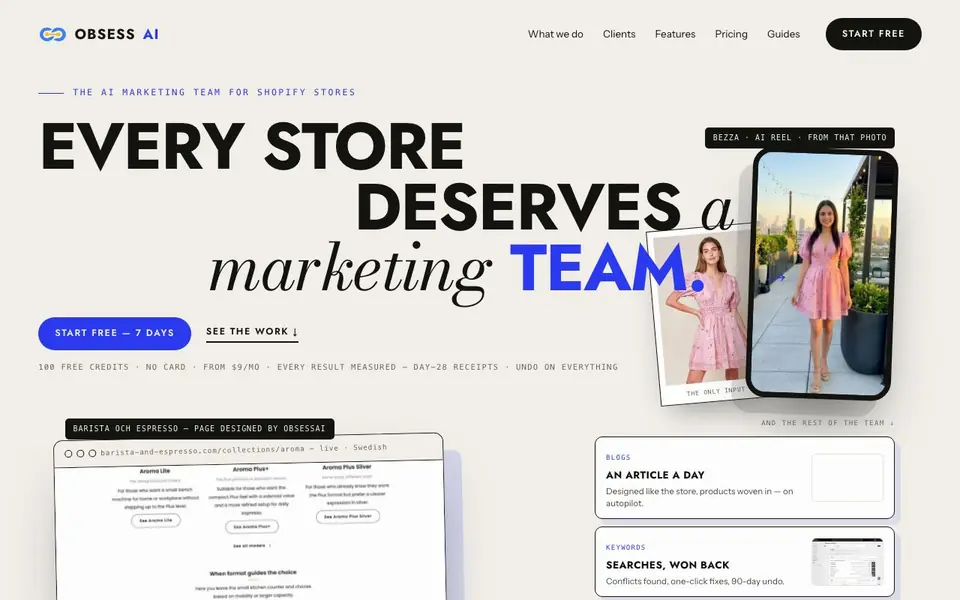
Obsess AI acts like a marketing team that already knows your store. It studies your Shopify theme, products, and existing copy before doing any work. Then it designs pages, writes blog articles and product descriptions, and creates social reels from your catalog photos. Everything is measured against a day-28 baseline, and you can undo any change.
You start by installing the app inside your Shopify admin. It reads your theme's sections, your catalog, and 16 months of Search Console history. On day one, drafts appear as previews on your real storefront at real URLs. Nothing is published until you approve it. After that, Obsess AI chooses what to work on next based on your keyword profile, and you set the cadence.
This suits merchants who want real marketing output without hiring an agency. the website says 100 free credits, no card required, and plans from $9 per month. It supports 10 languages for content. Results are measured with a day-28 verdict, and some fixes are reversible for 90 days.
Obsess AI features
- Page design: Composes collection, landing, home, and hero pages from your theme's own sections.
- Content writing: Produces a designed article a day and rewrites product descriptions to sell.
- Social video: Turns one catalog photo into a presenter-led reel with provenance embedded.
- SEO fixes: Finds keyword conflicts and offers one-click fixes, reversible for 90 days.
- Result receipts: Measures every job against a baseline and gives a day-28 verdict.
What you can do with Obsess AI
- Refresh your blog with articles that match your store's design and voice.
- Rewrite product descriptions for all your catalog items quickly.
- Create social reels from existing product photos without extra shoots.
- Fix search conflicts to win back rankings you can actually capture.
How to get started with Obsess AI
- Install the app inside your Shopify admin.
- Let it read your theme, catalog, and Search Console history.
- Review drafts on your storefront, then publish or discard them.
Tips for better results with Obsess AI
- Install Obsess AI in your Shopify admin and let it scan your theme, catalog, and Search Console history before you approve any drafts, so the output matches your store's voice.
- Review the day-one previews at real URLs on your storefront, then publish only what fits your brand, since nothing goes live until you approve it.
- Set the content cadence yourself, like one article a day, and let Obsess AI pick topics from your keyword profile to target searches your store can actually win.
- Use Obsess AI's 90-day undo on SEO fixes and page changes to test variations safely, then check the day-28 verdict to see what worked before scaling up.
- checks
Obsess AI pricing
Obsess AI has a free way to start, with paid plans for heavier use. Check obsessai.com for current limits and prices.
What to check before you rely on Obsess AI
- Verify your Shopify plan supports third-party apps and that Obsess AI's freemium tier covers your catalog size, since the website does not state limits on products or pages.
- Check that your Search Console is connected and has 16 months of history, because Obsess AI relies on that data to choose keywords and measure results.
- Confirm the $9 per month plan includes the features you need, like social reels or multilingual content, as the website does not list what each paid tier includes.
Who Obsess AI is for
Obsess AI suits Shopify store owners, ecommerce marketers and small business operators. If that is not you, the AI marketing tools below may fit better.
Similar tools compared with Obsess AI
| Tool | What it is | Pricing |
|---|---|---|
| Obsess AI | AI marketing team for Shopify stores | Freemium |
| Copy.ai | AI-native go-to-market platform | See website |
| Jasper | AI agent workspace for marketing teams | Free trial |
| Writesonic | AI search growth and visibility platform | See website |
| Predis.ai | AI ad generator for video, UGC, and images | Freemium |
Obsess AI FAQ
What does Obsess AI do exactly?
It acts as an AI marketing team for Shopify stores. It designs pages using your theme's sections, writes blog articles and product copy in your voice, produces social reels from your photos, and works on SEO fixes. Every job is measured with a day-28 verdict.
Is there a free plan?
The site says you can start free with 100 free credits and no card required. Paid plans start from $9 per month. So there is a free tier to try it out before committing.
Who is Obsess AI for?
It is for Shopify merchants who want marketing work done without hiring an agency or spending weeks on generic AI tools. It suits store owners who want pages, content, and video that match their existing theme and voice.
How does it measure results?
Every job takes a baseline when it publishes. At day 28, it returns a verdict compared against pages left untouched. The site says it even shows verdicts where it didn't work, and you can undo changes.
Can Obsess AI export the content it creates to other platforms or tools?
The Obsess AI website does not mention exporting content to other platforms or tools. It focuses on creating pages, articles, product copy, and social reels within your Shopify store. For details on any export options, check the app's settings or contact support through the website.
Does Obsess AI work on devices other than desktop, like mobile or tablet?
The Obsess AI website does not specify device compatibility beyond being an app inside Shopify admin. Since you install it in your Shopify admin, it likely works on any device where you can access Shopify, but the website doesn't confirm this. Check the app's documentation or try it on your mobile browser.
What does the free plan in Obsess AI include exactly?
Obsess AI offers 100 free credits with no card required, according to the website. These credits let you try its features, like page design, content writing, and social video, without paying. The free plan doesn't include ongoing monthly work; that starts with paid plans from $9 per month.


