

What is Nafy AI?
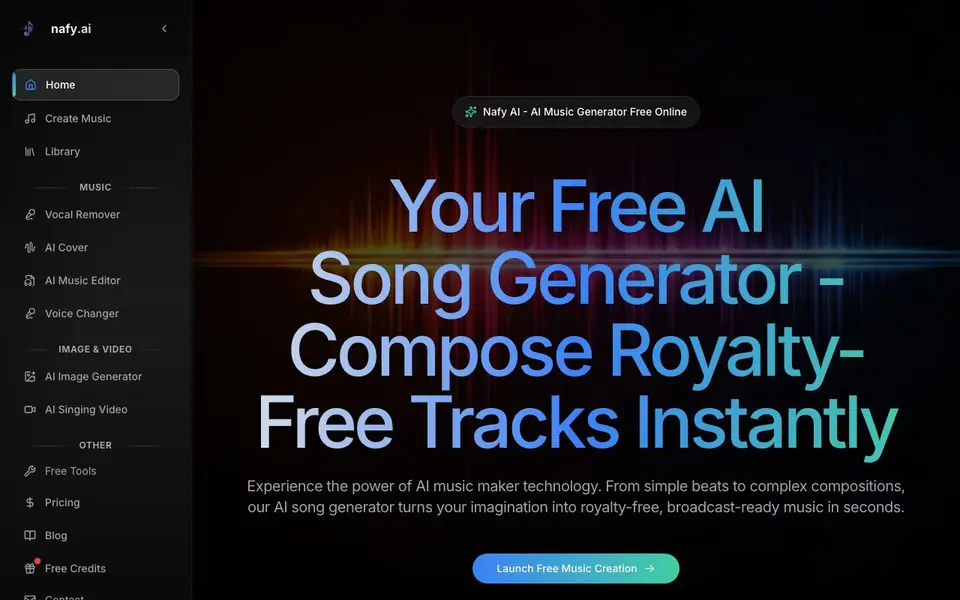
Nafy AI is an online AI music generator that creates royalty-free tracks from your descriptions or lyrics. You can type a vibe like "upbeat summer vibes" or paste your own words, and it builds a complete song with instrumentation, vocals, and genre-specific arrangement. It also includes tools for making AI covers, extending tracks, editing music, removing vocals, and changing voices.
To create, you start on the main page. You enter a title, describe the style, pick a genre, mood, voice, and tempo, and add lyrics if you have them. Then you hit generate and get a finished track. The interface is designed for people with no music theory knowledge, so you just describe what you want in plain language.
This tool suits creators who want quick, broadcast-ready music without learning production software. It also offers an AI cover generator that keeps the melody but changes the genre, and a music editor that lets you revise specific parts of a track. The website mentions free credits and a Pro upgrade, so you can start without paying.
Nafy AI features
- Text to music: Describe a vibe or style in plain language and get a complete track.
- Lyrics to song: Paste your lyrics and the tool generates synchronized instrumentation.
- AI cover generator: Upload audio and reimagine it in a different genre while keeping the melody.
- Music extension: Add bridges, outros, or breakdowns that match the original track's style.
- Music editor: Select specific segments with timestamp accuracy and regenerate only those parts.
What you can do with Nafy AI
- Create background music for videos or podcasts without licensing fees.
- Turn your written lyrics into a polished, produced song.
- Make a cover version of a track in a different genre for fun or practice.
- Extend an existing song with new sections that fit the original sound.
How to get started with Nafy AI
- Go to the Nafy AI website and click "Launch Free Music Creation".
- Enter a title, describe the style, and choose genre, mood, voice, and tempo.
- Add lyrics if you have them, then click "Generate" to get your track.
Tips for better results with Nafy AI
- Describe your track with specific genre, mood, and tempo details in the style field, like 'upbeat summer vibes with female vocals at 120 BPM', to get closer to your intended sound.
- Paste your full lyrics into the lyrics box and select a genre and voice before generating, so Nafy AI can synchronize instrumentation and vocals to match your words.
- Use the AI cover generator to upload a raw recording and pick a new genre; keep the melody intact while experimenting with styles like acoustic or EDM for fresh versions.
- If a section of your generated track sounds off, use the music editor to select that timestamp range and regenerate only those parts, saving time and preserving the rest.
Nafy AI pricing
Nafy AI has a free way to start, with paid plans for heavier use. Check nafy.ai for current limits and prices.
What to check before you rely on Nafy AI
- Check the free credit limit on the website before generating many tracks, as the pricing page does not list exact credit amounts or what happens when you run out.
- Verify whether the Pro upgrade includes full commercial rights for all outputs, since the site mentions royalty-free but does not state license terms for free versus paid plans.
- Confirm the export formats and audio quality available, as the website does not specify file types, bitrates, or whether you can download stems or just the final mix.
Who Nafy AI is for
Nafy AI suits musicians, content creators, podcasters and hobbyists. If that is not you, the AI music generators below may fit better.
Similar tools compared with Nafy AI
| Tool | What it is | Pricing |
|---|---|---|
| Nafy AI | Free AI music and song generator | Freemium |
| AIVA | AI music generation assistant | Freemium |
| Soundraw | AI music generator for royalty-free beats | Freemium |
| Suno | AI music and song generator | Freemium |
| ElevenLabs | AI voice generator and voice agents platform | Freemium |
Nafy AI FAQ
Is Nafy AI really free?
The website says it is a free AI music generator and offers free credits. There is also a Pro upgrade, so you can start for free and pay if you want more features or credits.
Can I use the music commercially?
Yes, the site states the tracks are royalty-free and come with full commercial rights. That means you can use them in projects without paying royalties.
Do I need music theory knowledge to use it?
No. The tool is designed for people with zero music theory. You just type natural descriptions like "moody jazz ballad" and it interprets them.
Can I edit a song after it's generated?
Yes, there is an AI music editor. You can select specific segments by timestamp, revise lyrics or musical elements, and regenerate only those parts.
What can Nafy AI export or connect to?
The Nafy AI website does not mention specific export formats or integrations with other platforms. It focuses on generating and editing music within the tool. For details on exporting your tracks or connecting to other software, check the website's help or contact section.
Does Nafy AI work on mobile devices?
The Nafy AI website does not specify whether it works on mobile devices. It is an online tool, so it likely runs in a web browser, but the site does not mention dedicated mobile apps or device compatibility. Check the website for any system requirements or platform notes.
What does the free plan of Nafy AI include?
Nafy AI offers free credits to start creating music without paying. The website mentions a Pro upgrade, but it does not list exactly how many free credits you get or what features are limited in the free plan. For specifics, check the pricing page or contact support.


