

What is MusicMakerApp?
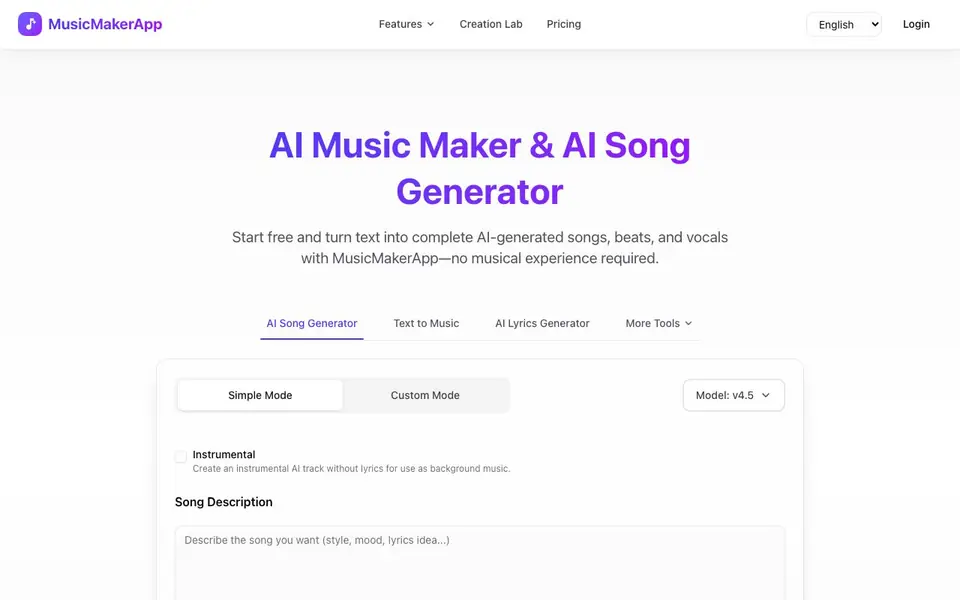
MusicMakerApp is an online AI music generator that creates complete songs from text descriptions or lyrics. You can generate instrumental tracks, full songs with vocals, or just lyrics. It is designed for creators who want original, copyright-safe music for videos, podcasts, games, and social media without needing musical training or software.
To use it, you type a short prompt describing the mood, genre, or style, or paste your own lyrics. Then you click Generate Song, and the AI composes melody, harmony, arrangement, and vocals in seconds. You can preview the track online and download it as an MP3, with other formats available on paid plans. You can also customize genres, moods, instruments, and vocal styles, and switch between vocal and instrumental versions.
MusicMakerApp suits YouTubers, TikTok creators, podcasters, game developers, and anyone needing original background music. The site says all music generated during an active subscription is yours to use forever, with full commercial rights. A free plan lets you try it, and commercial use is allowed on eligible paid plans.
MusicMakerApp features
- AI Song Generator: Creates complete songs with music, vocals, and lyrics from a text prompt.
- Text to Music: Turns simple text descriptions into original instrumental or vocal tracks.
- AI Lyrics Generator: Writes complete verses, hooks, and choruses from a story, mood, or concept.
- Customization Options: Lets you choose genres, moods, instruments, and vocal styles for your track.
- Commercial Rights: Gives you full ownership of music made during an active subscription for commercial projects.
What you can do with MusicMakerApp
- Generate background music for YouTube videos without copyright issues.
- Create original theme tracks for podcasts or Twitch streams.
- Turn your written lyrics into a fully produced song.
- Produce instrumental beats for games or mobile apps.
How to get started with MusicMakerApp
- Type a short prompt describing the mood, genre, or style, or paste your lyrics.
- Click Generate Song and wait a few seconds for the AI to compose the track.
- Preview the song online, then download it as an MP3 or other format on paid plans.
Tips for better results with MusicMakerApp
- Describe the mood, genre, and tempo in your prompt for MusicMakerApp, like 'upbeat electronic for a gaming montage,' to get a track that fits your project without needing multiple regenerations.
- Paste your full lyrics into MusicMakerApp's song generator, then pick a vocal style and genre that matches the phrasing, so the AI aligns rhythm and emotion with your words.
- Use MusicMakerApp's lyrics generator first to draft verses and hooks from a concept, then refine the text before generating the song to avoid wasting credits on tracks you won't use.
- Switch between vocal and instrumental versions in MusicMakerApp after generating, and preview each take online before downloading, so you choose the best mix for your video or podcast.
- checks
MusicMakerApp pricing
MusicMakerApp has a free way to start, with paid plans for heavier use. Check musicmakerapp.com for current limits and prices.
What to check before you rely on MusicMakerApp
- Check whether the free plan's generated tracks include full commercial rights, since the site only states commercial use is allowed on eligible paid plans.
- Verify if the free plan limits downloads to MP3 only, as the site mentions other formats are available on paid plans but does not list them.
- Confirm the subscription terms for ownership, because the site says music made during an active subscription is yours forever, but does not state what happens after cancellation.
Who MusicMakerApp is for
MusicMakerApp suits content creators, musicians, podcasters and game developers. If that is not you, the AI music generators below may fit better.
Similar tools compared with MusicMakerApp
| Tool | What it is | Pricing |
|---|---|---|
| MusicMakerApp | AI song and music generator | Freemium |
| AIVA | AI music generation assistant | Freemium |
| Soundraw | AI music generator for royalty-free beats | Freemium |
| Suno | AI music and song generator | Freemium |
| ElevenLabs | AI voice generator and voice agents platform | Freemium |
MusicMakerApp FAQ
Is MusicMakerApp free to use?
Yes, the site says you can start free and try it. Commercial use is allowed on eligible paid plans, and you own the music generated during an active subscription.
Can I use the music commercially?
Yes, all music generated during an active subscription is yours to use forever, with full commercial rights for videos, ads, games, and social media. Free plan terms are not detailed on the site.
What can I create with MusicMakerApp?
You can create complete songs with vocals and lyrics, instrumental tracks, or just lyrics. You can also customize genres, moods, instruments, and vocal styles to match your project.
Do I need musical experience to use it?
No, the site says no musical experience is required. You just describe what you want or paste lyrics, and the AI handles melody, harmony, arrangement, and vocals.
What audio formats can I export from MusicMakerApp?
MusicMakerApp lets you download your generated tracks as MP3 files. The website mentions that other formats are available on paid plans, but it does not specify which ones. For the full list of export options, check the pricing page or your account settings after you start a paid plan.
Does MusicMakerApp offer a mobile app or does it only work in a web browser?
The MusicMakerApp website describes it as an online AI music generator, and it does not mention a dedicated mobile app. You can use it through a web browser on any device with internet access. For the most current information about app availability, check the official website or contact their support team.
What does the free plan of MusicMakerApp include, and are there limits on song generation?
MusicMakerApp offers a free plan that lets you try the tool, but the website does not specify the exact number of songs you can generate or any feature limitations. For detailed information about what the free plan includes and any usage caps, visit the pricing section on the MusicMakerApp website.


