

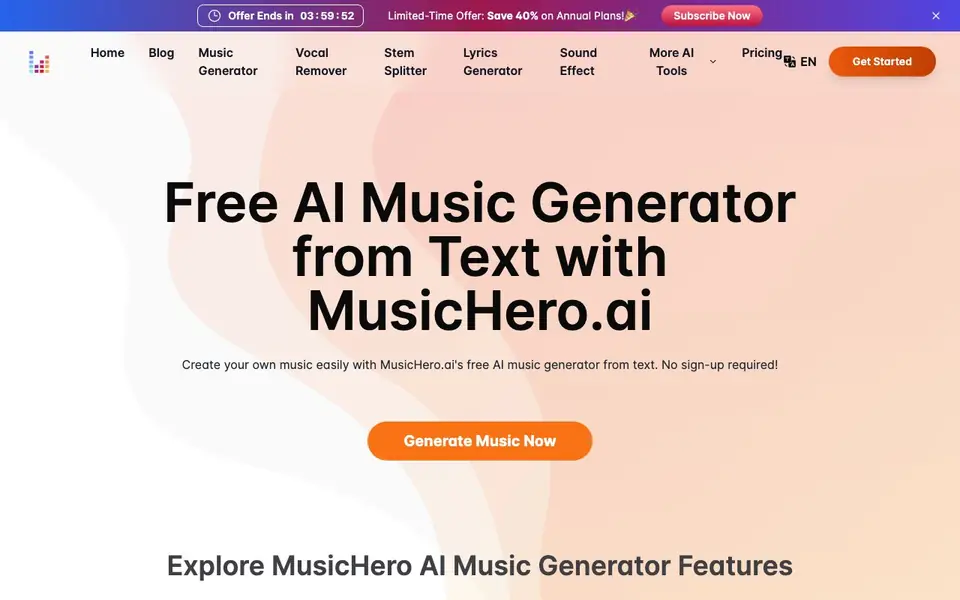
What is MusicHero.ai?
MusicHero.ai is an online AI music generator that turns your text descriptions into full tracks. You can describe the style, mood, and instruments, and it produces a song with vocals and accompaniment. The platform also includes a vocal remover, stem splitter, lyrics generator, and sound effects generator, so you can handle multiple music tasks in one place.
To start, visit the website and click the Generate Music button. No sign-up is required. You enter a brief song description or your own lyrics, choose the music style, and the AI creates a track. After that, you can download it, share it, or refine it using tools like the vocal remover or the MP4 lyrics video maker.
MusicHero suits content creators, podcasters, YouTubers, and anyone needing custom music for projects. The site highlights a free tier with no login, plus a limited-time offer of 40% off annual plans. It also provides a convenient license download for commercial use and distribution.
MusicHero.ai features
- Text to Music: Describe your song in words and get a full track with vocals and instruments.
- Vocal Remover: Isolate vocals from any song to create instrumental tracks easily.
- Stem Splitter: Separate different audio elements like drums, bass, and melody for remixing.
- Lyrics Generator: Generate AI song lyrics from your ideas to spark creativity.
- Sound Effects Generator: Create unique, high-quality sound effects for your projects.
What you can do with MusicHero.ai
- Create custom background music for YouTube videos or podcasts.
- Remove vocals from songs to make karaoke or instrumental versions.
- Generate lyrics for a new song when you're stuck.
- Produce sound effects for games, videos, or presentations.
- Make MP4 lyric videos to share on social media platforms.
How to get started with MusicHero.ai
- Go to MusicHero.ai and click the Generate Music button.
- Enter a song description or your lyrics and choose the music style.
- Download your track, share it, or edit it with the vocal remover or video maker.
Tips for better results with MusicHero.ai
- Describe the mood, style, and instruments in your text prompt for MusicHero.ai, like 'warm acoustic country with female vocals,' to get a track closer to your vision.
- Use MusicHero.ai's vocal remover on your generated track to create an instrumental version, then compare both to see which fits your project better.
- Generate lyrics with MusicHero.ai first, then paste them into the text-to-music tool to ensure the vocals match your intended words and theme.
- Try different BPM ranges and genre keywords in your prompts for MusicHero.ai, such as '128 BPM dance,' to fine-tune the energy and pacing of the output.
- After generating a track, use MusicHero.ai's stem splitter to isolate drums or melody, letting you remix or adjust elements for a more polished result.
MusicHero.ai pricing
MusicHero.ai has a free way to start, with paid plans for heavier use. Check musichero.ai for current limits and prices.
What to check before you rely on MusicHero.ai
- Check whether the free tier on MusicHero.ai limits the number of generations or audio length, since the website does not state these details.
- Verify if MusicHero.ai's license download covers all commercial uses, as the site mentions it but does not list specific terms or restrictions.
- Confirm what audio formats MusicHero.ai exports (like MP3 or WAV) and if vocals can be separated cleanly, since the website does not specify these options.
Who MusicHero.ai is for
MusicHero.ai suits content creators, podcasters, YouTubers and musicians. If that is not you, the AI music generators below may fit better.
Similar tools compared with MusicHero.ai
| Tool | What it is | Pricing |
|---|---|---|
| MusicHero.ai | AI music generator from text | Freemium |
| AIVA | AI music generation assistant | Freemium |
| Soundraw | AI music generator for royalty-free beats | Freemium |
| Suno | AI music and song generator | Freemium |
| ElevenLabs | AI voice generator and voice agents platform | Freemium |
MusicHero.ai FAQ
How does MusicHero's AI music generator work?
You type a text description of the music you want, including style, mood, and instruments. The AI then creates a complete track with vocals and accompaniment. No sign-up is needed to start.
Is MusicHero free to use?
The site says you can generate music free online with no sign-up required. It also mentions a limited-time offer of 40% off annual plans, which suggests there are paid plans with extra features.
Can I use the music commercially?
Yes, MusicHero provides a convenient license download for your tracks, which you can use for distribution and commercial use. The license is available directly from the platform.
What other tools does MusicHero offer?
Besides music generation, it includes a vocal remover, stem splitter, lyrics generator, sound effects generator, and an MP4 music video maker. These help you edit and enhance your tracks in one place.
What can I do with MusicHero.ai besides generating music?
MusicHero.ai includes a vocal remover, stem splitter, lyrics generator, and sound effects generator. You can also create MP4 lyric videos and download a license for commercial use. These tools are all accessible from the website, and you can use them without signing up.
Does MusicHero.ai require an account or login to use?
No, MusicHero.ai does not require an account or login. You can start generating music and use its tools directly from the website. The site highlights that it is free and no sign-up is needed, so you can jump straight into creating.
What file formats can I export from MusicHero.ai?
The MusicHero.ai website does not specify the exact file formats for downloads. It mentions you can download your generated tracks and licenses, but details on formats are not listed. For specific information, check the website's FAQ or contact support.


