

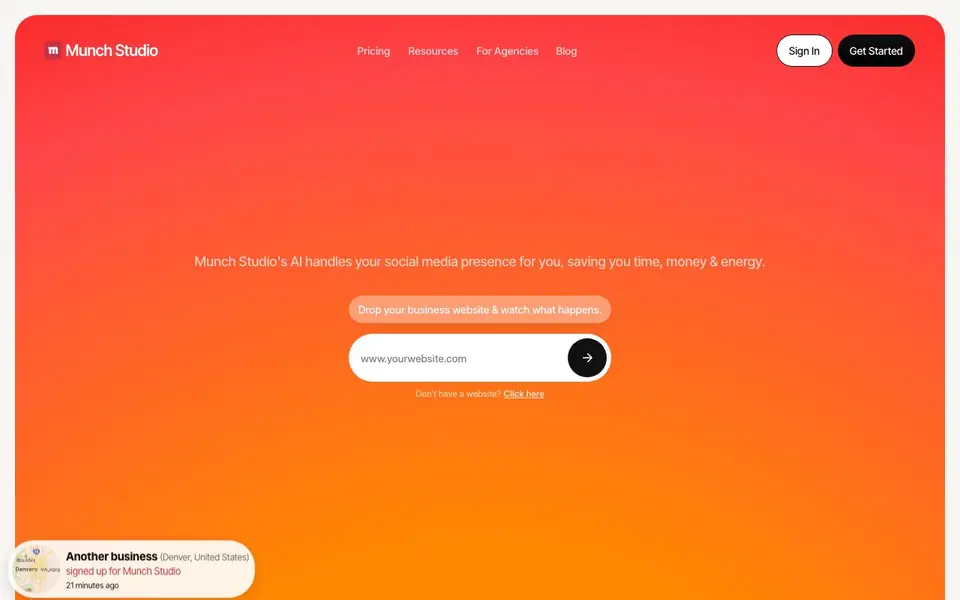
What is Munch?
Munch Studio is an AI-powered social media marketing tool that handles your online presence from start to finish. You give it your business website, videos, photos, or even Zoom call recordings, and it learns what your brand is about in seconds. The AI then builds a content strategy and generates endless relevant posts tailored to your business, saving you time, money, and energy.
Getting started is simple. You add your business materials, and Munch Studio creates posts and a posting calendar for you. You review the suggestions, approve the ones you like, and post them with one click. You can also edit posts easily without any technical skills. The tool schedules your content across platforms and tracks performance in real time, so you can see reach, engagement, and follower growth.
Munch Studio suits small business owners who want to run their social media in about 10 minutes a week, as well as marketing agencies managing multiple clients. For agencies, multi-brand plans give each client its own workspace with isolated content strategy, brand voice, and posting calendar. The website mentions case studies showing increases in views, reactions, and posts for users, but specific numbers are not stated.
Munch features
- Business learning: Add your website, videos, photos, or recordings and the AI learns your business quickly.
- Content strategy creation: The AI builds a custom content strategy and generates endless relevant posts for you.
- One-click posting: Approve posts you love and publish them with a single click across platforms.
- Easy editing: Modify content without any technical skills or design knowledge.
- Performance tracking: Monitor real-time results for every post on every social platform.
What you can do with Munch
- Run your social media presence hands-free in about 10 minutes a week.
- Generate a full month of content for multiple clients as an agency.
- Create on-brand posts from your website, videos, and photos.
- Schedule and post content across Instagram, Facebook, and LinkedIn automatically.
How to get started with Munch
- Add your business website, videos, photos, or Zoom recordings so the AI learns your brand.
- Let the AI generate posts and a content strategy tailored to your business.
- Approve your favorite posts and schedule or publish them with one click.
Tips for better results with Munch
- Feed Munch Studio your website, videos, photos, and Zoom recordings so its AI learns your brand voice and creates posts that match your actual business, not generic content.
- Review the generated posting calendar weekly and approve only the posts that fit your goals, then edit any that miss the mark using the simple editor before scheduling.
- Use Munch Studio's one-click posting to publish approved content across Instagram, Facebook, and LinkedIn, then check the real-time performance dashboard to see what resonates.
- For agency work, set up separate workspaces for each client in Munch Studio to keep content strategy, brand voice, and calendars isolated, preventing cross-client confusion.
Munch pricing
Munch has a free way to start, with paid plans for heavier use. Check munchstudio.com for current limits and prices.
What to check before you rely on Munch
- Confirm what the free plan includes and whether it limits the number of posts, platforms, or clients, since the website does not state specific plan limits.
- Check if Munch Studio supports all the social platforms you need, as the site mentions Instagram, Facebook, and LinkedIn but does not list others.
- Verify how your data and uploaded materials are stored or used for AI training, because the website does not provide a clear privacy or data handling policy.
Who Munch is for
Munch suits small business owners, marketing agencies, consultants and content creators. If that is not you, the AI marketing tools below may fit better.
Similar tools compared with Munch
| Tool | What it is | Pricing |
|---|---|---|
| Munch | AI social media marketing assistant | Freemium |
| Copy.ai | AI-native go-to-market platform | See website |
| Jasper | AI agent workspace for marketing teams | Free trial |
| Writesonic | AI search growth and visibility platform | See website |
| Predis.ai | AI ad generator for video, UGC, and images | Freemium |
Munch FAQ
What is Munch Studio and how does it work?
Munch Studio is an AI tool that handles your social media marketing. You add your website, videos, photos, or recordings, and the AI learns your business, creates a content strategy, generates posts, and schedules them for you. You approve what you like and it posts automatically.
Does Munch Studio automatically post to social media?
Yes. After you approve posts, Munch Studio schedules and publishes them across your connected social platforms. You can also edit posts before they go live. The website shows a calendar with scheduled posts for Instagram, Facebook, and LinkedIn.
Which social platforms does Munch Studio support?
The website mentions Instagram, Facebook, and LinkedIn in the scheduling calendar. It also lists YouTube, TikTok, and Twitter in the footer social links, but the visible text does not explicitly confirm posting support for those platforms.
How much does Munch Studio cost?
The website offers a free trial and a 'Get Started For Free' option, but specific pricing plans are not detailed. For agencies, there is a dedicated concierge who can walk you through pricing and a custom free trial.
Does Munch Studio offer a free plan and what does it include?
Munch Studio is labeled as freemium, meaning there is a free tier available. The website highlights a 'Get Started For Free' option, but it does not specify exactly which features are included in the free plan. To see the full details, check the pricing page or sign up to explore what you get at no cost.
Can Munch Studio export or connect to other tools like a CRM or email platform?
Munch Studio's website focuses on its core features: learning your business, generating posts, scheduling, and tracking performance across social platforms. It does not mention any exports or integrations with external tools such as CRMs or email services. For the latest information on integrations, check the website's features or contact their support.
Does Munch Studio require an account to use it, and how does it handle my data?
To use Munch Studio, you need to create an account because you add your business materials and manage posts through the platform. The website does not provide specific details about data handling or privacy policies in the visible content. For information on data usage and security, refer to the site's privacy policy or terms of service.


