

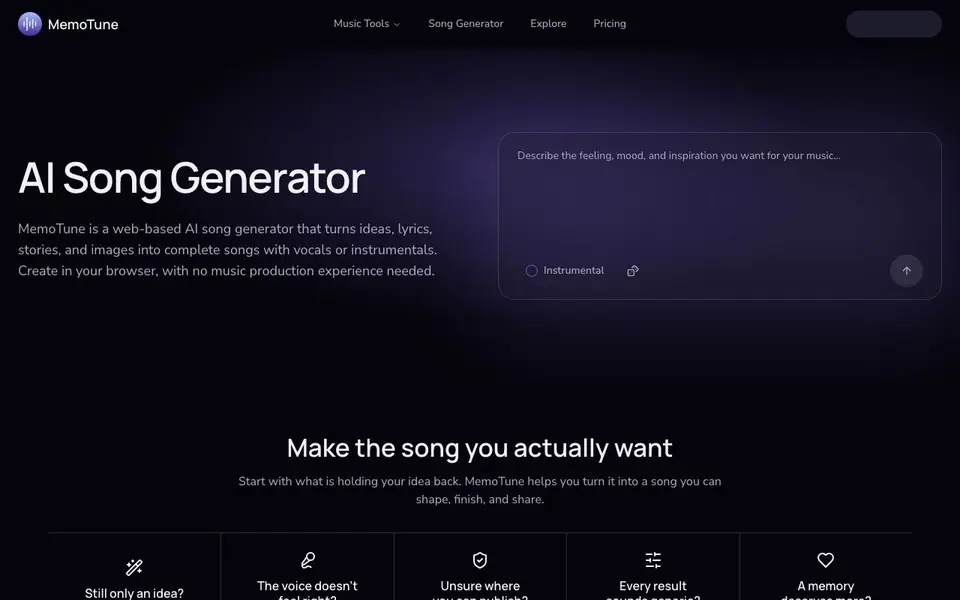
What is MemoTune?
MemoTune is a web-based AI song generator that creates full songs from your prompts, lyrics, stories, or even images. You can choose between vocals or instrumentals, and direct the sound by picking a genre, mood, energy, and song sections. It works entirely in your browser, so you don't need any music production experience.
To get started, you describe your idea or paste your lyrics. MemoTune then builds the melody, arrangement, and vocals for you. You can preview samples in genres like rap, rock, jazz, K-Pop, metal, lo-fi, classical, ambient, pop, R&B, country, Latin, EDM, phonk, and blues. Each generator lets you shape the track to fit your vision, whether you want a polished pop song or a dark ambient drone.
The tool also includes a community section where creators share songs, so you can discover new sounds and see the prompts behind them. MemoTune mentions clear usage rights so you know where you can publish your music before release. It suits anyone from hobbyists making a personal song for a memory to creators scoring films, games, or meditation apps.
MemoTune features
- Lyrics to song: Turn your own lyrics or a short prompt into a complete track with melody and vocals.
- Genre selection: Choose from 15+ genres like rap, rock, jazz, K-Pop, metal, lo-fi, classical, and more.
- Vocals or instrumental: Pick the direction that fits your song, with or without vocal tracks.
- Style control: Direct the sound using genre, mood, energy, and song sections to avoid generic results.
- Community explore: Browse songs shared by other creators and see the prompts used to make them.
What you can do with MemoTune
- Turn a personal story or memory into a custom song with names and meaningful moments.
- Generate royalty-free classical pieces for films, games, meditation, or events.
- Create ambient tracks for meditation apps, focus playlists, or game scoring.
- Produce a full phonk or blues track in 10+ languages with subgenre-specific styles.
How to get started with MemoTune
- Go to MemoTune's website and open the AI Song Generator tool.
- Enter your prompt, lyrics, or idea, and choose vocals or instrumental.
- Pick a genre, mood, energy, and sections, then generate and listen to your song.
Tips for better results with MemoTune
- Start with a detailed prompt that includes specific names, places, and emotions so MemoTune can turn your story into a song that feels personal and meaningful.
- Pick a genre and then set mood, energy, and song sections before generating, because MemoTune uses these controls to avoid generic-sounding results.
- Use MemoTune's community section to listen to songs others have made and copy the prompts behind them to learn what works for your own tracks.
- Choose vocals or instrumental early in MemoTune based on where you plan to publish, since the tool mentions clear usage rights before you release your music.
MemoTune pricing
MemoTune’s homepage does not list prices. Check memotune.com for current plans.
What to check before you rely on MemoTune
- Check whether MemoTune's pricing page lists a free tier or paid plans, since the website does not state any costs or limits.
- Verify what export formats MemoTune offers for your finished songs, because the site does not mention downloadable file types.
- Review MemoTune's usage rights details for each track before publishing, as the tool says rights are clear but you need to confirm them for your use case.
Who MemoTune is for
MemoTune suits hobby musicians, content creators, filmmakers and game developers. If that is not you, the AI music generators below may fit better.
Similar tools compared with MemoTune
| Tool | What it is | Pricing |
|---|---|---|
| MemoTune | AI song generator with vocals or instrumentals | See website |
| AIVA | AI music generation assistant | Freemium |
| Soundraw | AI music generator for royalty-free beats | Freemium |
| Suno | AI music and song generator | Freemium |
| ElevenLabs | AI voice generator and voice agents platform | Freemium |
MemoTune FAQ
Do I need music production experience to use MemoTune?
No. MemoTune's website says you can create songs in your browser with no music production experience needed. You just provide an idea or lyrics, and the AI handles the melody, arrangement, and vocals.
Can I choose between vocals and instrumentals?
Yes. MemoTune lets you choose the direction that fits your song, with options for vocals or instrumental. You can also pick a genre and adjust mood, energy, and song sections to shape the final track.
What genres does MemoTune support?
The website lists samples for rap, rock, jazz, K-Pop, metal, lo-fi, classical, ambient, pop, R&B, country, Latin, EDM, phonk, and blues. Each genre has its own generator with specific style options.
Is MemoTune free to use?
The website does not state pricing details. It mentions a Pricing page, so you should check there for current plans or free options. The tool does highlight clear usage rights for publishing your songs.
Can MemoTune export songs as MP3 or WAV files?
The MemoTune website does not mention specific export formats like MP3 or WAV. It focuses on generating songs in your browser and sharing them in the community. For details on file formats, check the pricing or help sections on memotune.com.
Does MemoTune work on mobile devices or only on desktop?
MemoTune is a web-based tool, so it runs in any browser, including those on phones and tablets. The website does not specify any device restrictions, so you can likely use it on your mobile browser. For best performance, use a recent browser version.
What does the free plan of MemoTune include?
The MemoTune website does not detail a free plan or its limits. It mentions you can preview samples and generate tracks, but pricing specifics are not listed. To know what the free plan includes, visit the Pricing page on memotune.com.


