

What is MakeBestMusic?
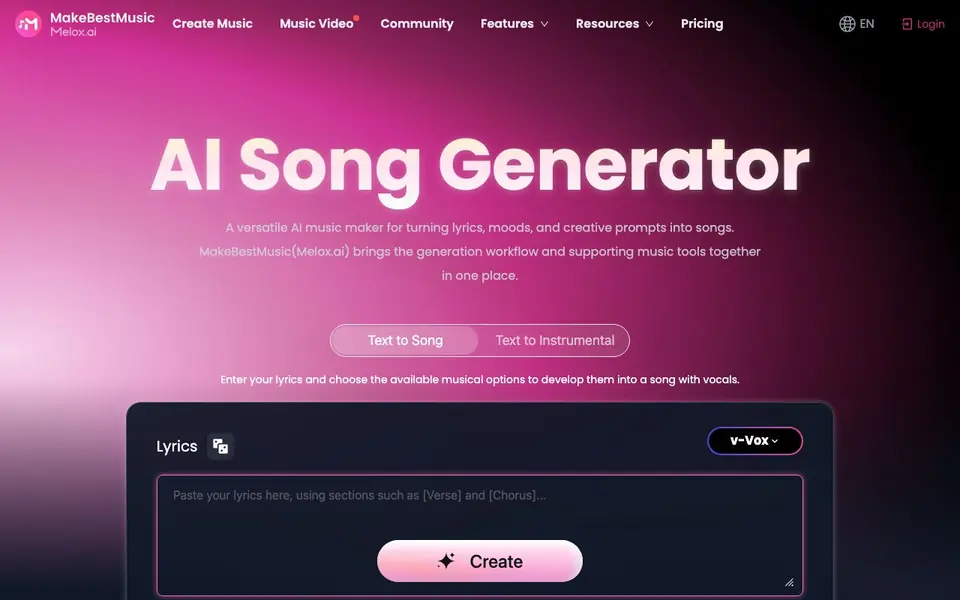
MakeBestMusic is an online AI music maker that turns your ideas into complete tracks. You can enter lyrics or a creative prompt, choose a style, and get a song with vocals or an instrumental. It also offers supporting tools for music videos, voice covers, and stem splitting.
To start, you pick "Text to Song" or "Text to Instrumental." Then you type your lyrics or describe the genre, mood, instruments, or song structure you want. The AI processes your input and generates a track. You can preview the result and download it, depending on your account.
The tool is built for a wide range of users, including content creators, musicians, filmmakers, educators, and brands. It supports multiple genres and custom styles, and offers multilingual creation options. The site notes that commercial use depends on your plan and licensing terms, so you should review those before publishing.
MakeBestMusic features
- Text to Song: Enter lyrics and choose musical options to create a song with vocals.
- Text to Instrumental: Generate music without lead vocals for background or production use.
- Style Controls: Pick from styles like distorted guitar riffs, impactful drops, or 90s style.
- Stem Splitter: Separate mixed audio into individual stems for further editing.
- AI Voice Cover: Create voice covers using AI-generated vocals.
What you can do with MakeBestMusic
- Create background music for YouTube videos or podcasts.
- Develop song ideas for films, games, or interactive media.
- Generate instrumental tracks for meditation or fitness content.
- Test lyrics and genres before producing a track further.
How to get started with MakeBestMusic
- Choose "Text to Song" or "Text to Instrumental" on the site.
- Enter your lyrics or a creative prompt and describe the style or mood.
- Generate the track, preview it, and download it if your account allows.
Tips for better results with MakeBestMusic
- Start with detailed lyrics or a prompt that specifies genre, mood, and instruments to guide MakeBestMusic toward the sound you want.
- Use the style controls like distorted guitar riffs or 90s style to narrow the AI's output, then regenerate with tweaks if the first result misses.
- Preview the generated track fully before downloading, and adjust your prompt or style choices in MakeBestMusic to refine structure and vocals.
- For background music, choose Text to Instrumental in MakeBestMusic to avoid lead vocals, then use the stem splitter for further editing.
MakeBestMusic pricing
MakeBestMusic has a free way to start, with paid plans for heavier use. Check makebestmusic.com for current limits and prices.
What to check before you rely on MakeBestMusic
- Check your plan's download options and commercial use terms, since MakeBestMusic's site says commercial usage depends on the applicable plan and licensing.
- Verify the maximum track length and generation time for your account, as the site mentions up to 8 minutes but does not state limits for free plans.
- Confirm the export formats and whether stems or voice covers are included in your plan, as the website does not list specific file types or download restrictions.
Who MakeBestMusic is for
MakeBestMusic suits content creators, musicians, filmmakers, educators and brands. If that is not you, the AI music generators below may fit better.
Similar tools compared with MakeBestMusic
| Tool | What it is | Pricing |
|---|---|---|
| MakeBestMusic | AI song and instrumental generator | Freemium |
| AIVA | AI music generation assistant | Freemium |
| Soundraw | AI music generator for royalty-free beats | Freemium |
| Suno | AI music and song generator | Freemium |
| ElevenLabs | AI voice generator and voice agents platform | Freemium |
MakeBestMusic FAQ
What can I create with MakeBestMusic?
You can create full songs with vocals from lyrics, or instrumentals from a prompt. The tool also supports music videos, voice covers, and stem splitting for further audio work.
Is there a free plan?
The site mentions free credits for new users, so you can try it without paying. For ongoing use, there are paid plans that include commercial licensing options.
Who is this tool for?
It suits content creators, musicians, filmmakers, game developers, educators, brands, and wellness creators. You can use it for videos, podcasts, education, or personal projects.
Can I use the music commercially?
Commercial use depends on your plan and licensing terms. The site says to review the applicable terms before publishing or monetizing generated music.
What audio formats can I export from MakeBestMusic?
The MakeBestMusic website does not specify the exact audio file formats available for download. You can preview and download generated tracks depending on your account, but for format details, check the download options in your account or the pricing page.
Does MakeBestMusic offer a mobile app or desktop software?
MakeBestMusic is described as an online AI music maker, so it runs in a web browser. The website does not mention a dedicated mobile app or desktop software. You can access it from any device with a browser and internet connection.
Can I use MakeBestMusic to create music for commercial projects like ads or films?
MakeBestMusic allows commercial use, but it depends on your plan and licensing terms. The site states that commercial usage depends on the applicable plan and licensing terms, so you should review those before publishing. The free plan may have restrictions, so check the pricing page for details.


