

What is LyricsToSongAI?
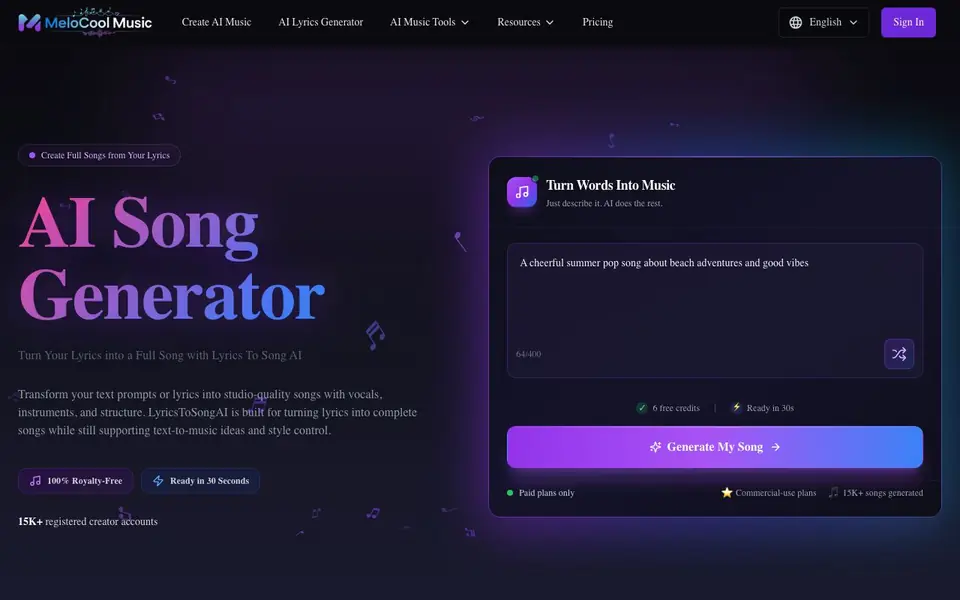
LyricsToSongAI is an AI music generator that turns your lyrics or text prompts into complete songs. It produces tracks with vocals, instruments, and a clear song structure. You can also use it for text-to-music ideas and control the style.
To start, you paste your lyrics, poem, or song idea and describe the sound you want. You can add genre, mood, tempo, and lyrical themes. Then you customize vocals, instruments, style, and song structure. After generating, you preview the result and download or keep editing.
It suits songwriters, musicians, and content creators who want quick, royalty-free tracks. The site mentions 15K+ songs generated and 15K+ registered creator accounts. It supports 14 interface languages and offers over 50 music styles. Note that a paid plan is required, and each song generation uses 5 credits.
LyricsToSongAI features
- Text to Music Generator: Turn text prompts or lyrics into full-length songs with clean vocals and structure.
- AI Lyrics Generator: Craft lyrics that match your song theme, with rhythm-aware phrasing and melody support.
- AI Vocal Separation: Isolate vocals or instrumentals from any track for remixes, karaoke, or sampling.
- AI Song Extension: Lengthen short clips into full tracks while keeping the original vibe and flow.
- WAV Export: Download studio-ready, lossless WAV files for professional mixing and mastering.
What you can do with LyricsToSongAI
- Paste your lyrics and generate a complete song with vocals and instruments.
- Describe a mood or genre to create a text-to-music track from scratch.
- Separate vocals from a track to make a karaoke version or remix stems.
- Extend a short musical idea into a full-length song for an extended mix.
How to get started with LyricsToSongAI
- Paste your lyrics, poem, or song idea and describe the sound you want.
- Customize vocals, instruments, style, and song structure to fit your vision.
- Generate the song, preview it, then download or keep editing.
Tips for better results with LyricsToSongAI
- Paste your full lyrics and describe the genre, mood, and tempo in detail so LyricsToSongAI shapes the track around your words accurately.
- Use the customization settings to fine-tune vocals, instruments, and song structure before generating, which gives you more control over the final result.
- Start with a clear text prompt if you don't have lyrics, and experiment with different styles from the 50+ options to find the sound you want.
- Preview the generated song and keep editing if needed—LyricsToSongAI supports iterative refinement, so don't settle for the first version if it's not right.
LyricsToSongAI pricing
LyricsToSongAI is a paid product. Check lyricstosongai.com for current plans and whether a demo or trial is offered.
What to check before you rely on LyricsToSongAI
- Confirm the paid plan details and credit costs before committing, since the website lists 5 credits per song but doesn't show full pricing.
- Check whether the free credits mentioned on the site are enough for your needs, as the exact trial terms are not clearly stated.
- Verify that the WAV export feature is included in your plan, since the website doesn't specify which features are available at each tier.
Who LyricsToSongAI is for
LyricsToSongAI suits songwriters, musicians, content creators and producers. If that is not you, the AI music generators below may fit better.
Similar tools compared with LyricsToSongAI
| Tool | What it is | Pricing |
|---|---|---|
| LyricsToSongAI | AI song generator from lyrics | Paid |
| AIVA | AI music generation assistant | Freemium |
| Soundraw | AI music generator for royalty-free beats | Freemium |
| Suno | AI music and song generator | Freemium |
| ElevenLabs | AI voice generator and voice agents platform | Freemium |
LyricsToSongAI FAQ
What does LyricsToSongAI do?
It turns your lyrics or text prompts into full AI-generated songs with vocals, instruments, and structure. You can also use it for text-to-music, vocal separation, and song extension.
Is there a free plan?
The site shows 6 free credits, but it also says paid plans only. So you get a few free credits, but you need a paid plan to keep generating songs.
How many credits does each song cost?
Each song generation uses 5 credits. The site doesn't list credit prices, so check the pricing page for details.
Who is this for?
It's for songwriters, musicians, and content creators who want to quickly turn lyrics into royalty-free tracks. You don't need music theory or instrument skills.
What file formats can I export from LyricsToSongAI?
LyricsToSongAI lets you download your generated songs as WAV files, which are lossless and studio-ready for professional mixing or mastering. The website does not mention other export formats like MP3, so if you need a specific file type, check the site's current feature list or contact support.
Does LyricsToSongAI work on mobile devices or only on desktop?
LyricsToSongAI is a web-based tool, so you can access it from any device with a browser, including smartphones and tablets. The website does not specify dedicated mobile apps, so for the best experience, use a modern browser on your preferred device.
What does the free plan include on LyricsToSongAI?
LyricsToSongAI offers 6 free credits when you start, which you can use to generate songs. Each song costs 5 credits, so you can create at least one full track for free. After that, you need a paid plan to continue generating, as the site is paid-only beyond the initial credits.


