

What is Linkdify?
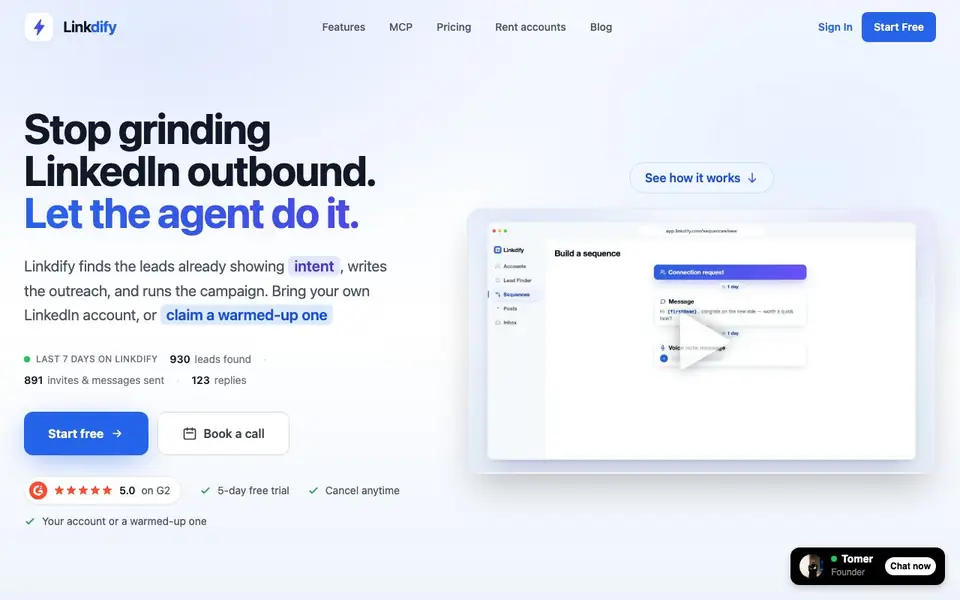
Linkdify is an AI agent that handles LinkedIn outbound for you. It finds leads already showing buying intent, writes the outreach messages, and runs the whole campaign. You can bring your own LinkedIn account or rent a warmed-up one, so you avoid the risk of getting your personal account restricted.
You start by describing your ideal customer. Linkdify then surfaces high-intent people: job changers, post engagers, and those circling your competitors. You add them to a campaign with multi-step sequences and human-like timing. Replies flow into one inbox, so you just show up for conversations.
If you don't have an account, you can rent a real, aged LinkedIn profile. It's ID-verified, has 100+ connections, and can be rebranded to your company. The agent runs requests, messages, and posts on a natural schedule. Linkdify also offers a Model Context Protocol (MCP) server, so you can drive it from Claude, Cursor, or any MCP client.
Linkdify features
- Lead finder: Surfaces high-intent LinkedIn leads based on job changes, keywords, and competitor activity.
- Campaign builder: Creates multi-step outreach sequences with human-like timing and follow-ups.
- Unified inbox: Routes all replies into one place so you can manage conversations easily.
- Rented accounts: Provides aged, ID-verified LinkedIn profiles with 100+ connections, rebranded to your company.
- MCP server: Lets you find leads, send messages, and manage campaigns from Claude, Cursor, or other MCP clients.
What you can do with Linkdify
- Find job changers who are likely to buy soon.
- Engage with people commenting on posts in your niche.
- Run outreach to prospects circling your competitors.
- Automate follow-ups and voice notes in campaigns.
How to get started with Linkdify
- Describe your ideal customer and let Linkdify find high-intent leads.
- Add leads to a campaign and let it run with multi-step sequences.
- Monitor replies in your inbox and show up for warm conversations.
Tips for better results with Linkdify
- Describe your ideal customer in specific terms like job title, industry, and location so Linkdify surfaces leads with genuine buying intent rather than broad matches.
- Use Linkdify's lead finder to target job changers and competitor circlers, then add them to a campaign with multi-step sequences to increase reply rates.
- Rent a warmed-up LinkedIn account through Linkdify if you want to avoid risking your personal profile, and rebrand it to match your company before starting outreach.
- Connect Linkdify to an MCP client like Claude or Cursor to manage lead finding and campaigns directly from your preferred workflow tool.
Linkdify pricing
Linkdify has a free way to start, with paid plans for heavier use. Check linkdify.io for current limits and prices.
What to check before you rely on Linkdify
- Check the free trial terms: the site says 5-day trial and cancel anytime, but does not state what features are included or if you need a paid plan after.
- Verify pricing details: the site labels Linkdify as freemium but does not list specific plan prices or what limits apply to free versus paid accounts.
- Review data privacy: the site does not state how your LinkedIn account data or rented account credentials are handled, so confirm before connecting personal profiles.
Who Linkdify is for
Linkdify suits sales teams, founders, SDRs and marketers. If that is not you, the AI marketing tools below may fit better.
Similar tools compared with Linkdify
| Tool | What it is | Pricing |
|---|---|---|
| Linkdify | AI agent for LinkedIn outbound | Freemium |
| Copy.ai | AI-native go-to-market platform | See website |
| Jasper | AI agent workspace for marketing teams | Free trial |
| Writesonic | AI search growth and visibility platform | See website |
| Predis.ai | AI ad generator for video, UGC, and images | Freemium |
Linkdify FAQ
What does Linkdify do?
It finds LinkedIn leads showing buying intent, writes personalized outreach, and runs campaigns automatically. You can use your own account or rent a warmed-up one.
Is there a free trial?
Yes, there's a 5-day free trial. You can cancel anytime. The starting price is $59 per month with your own account, or $149 with a rented account.
Who is Linkdify for?
It's for sales teams, founders, and SDRs who want to automate LinkedIn outbound without risking their personal accounts. It suits anyone doing B2B lead generation.
Can I use my own LinkedIn account?
Yes, you can connect your own account. Or you can rent a real, aged, ID-verified account that's rebranded to your company, with a replacement guarantee if restricted.
Does Linkdify offer a free plan, or only a trial?
Linkdify is freemium, and the website mentions a 5-day free trial that you can cancel anytime. The free plan details beyond the trial are not specified on the site. To see what the free tier includes after the trial, check the pricing page on linkdify.io.
Can Linkdify export leads or integrate with my CRM?
The Linkdify website does not mention exporting leads or direct CRM integrations. It does offer an MCP server, which lets you drive the tool from Claude, Cursor, or other MCP clients, potentially enabling custom workflows. For export options or specific CRM connections, check the pricing or features pages on linkdify.io.
What devices or platforms does Linkdify run on?
Linkdify is a web-based tool, so you can use it from any device with a browser. The website does not list dedicated mobile apps or desktop software. It also provides an MCP server for use with compatible clients like Claude or Cursor, but that requires those platforms. For more specifics, see the features section on linkdify.io.


