

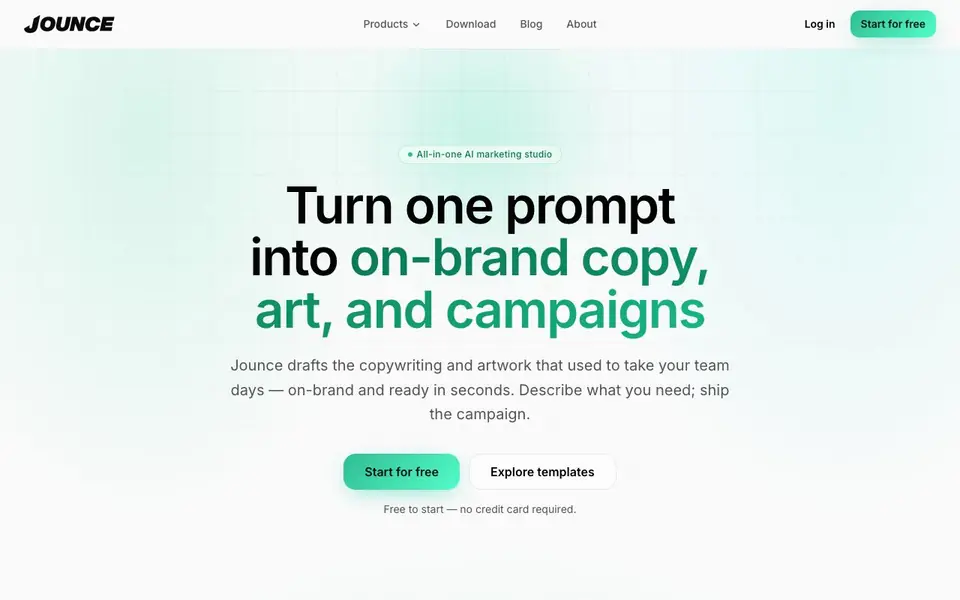
What is Jounce?
Jounce is an all-in-one AI marketing studio that helps you create copy and artwork for your campaigns. You describe what you need, and it drafts ads, emails, landing pages, and blog posts in your brand voice. It also generates images that match your palette and style, so every piece of content looks cohesive.
To get started, you pick a template from over 70 options, such as SMS blasts or SEO briefs. You fill in a prompt, and Jounce produces a ready-to-edit draft. You can also use Jounce Chat, a marketing-savvy assistant for ideation and strategy. Set your audience, voice, and guidelines once, and all outputs stay consistent with your brand.
Jounce suits content marketers, small business owners, and anyone writing AI blog posts. It is free to start with no credit card required. The website mentions a 4.5/5 Trustpilot rating from over 549 reviews, but it does not state limits on the free plan or specific pricing details beyond that.
Jounce features
- AI copywriting: Drafts ads, emails, landing pages, and blogs from a one-line prompt in your brand voice.
- Jounce Art: Generates on-brand images tuned to your palette and style to match your copy.
- 70+ marketing templates: Purpose-built templates for jobs like SMS campaigns and SEO briefs.
- Jounce Chat: A marketing-focused AI assistant for ideation, research, and strategy.
- On-brand by default: Set audience, voice, and guidelines once for consistent outputs.
What you can do with Jounce
- Create ad copy and matching visuals for a product launch.
- Draft email newsletters that match your brand voice.
- Generate landing page content from a brief prompt.
- Brainstorm campaign ideas with Jounce Chat.
How to get started with Jounce
- Sign up for free on Jounce's website—no credit card required.
- Pick a template or describe your campaign in a prompt.
- Review and refine the generated copy and art, then publish.
Tips for better results with Jounce
- Set your audience, voice, and guidelines once in Jounce before generating, so every draft and image comes back consistent with your brand without repeated edits.
- Pick a template like SMS or SEO briefs in Jounce to give your prompt structure, then refine the draft—this saves time compared to starting from a blank page.
- Use Jounce Chat to brainstorm campaign angles or research strategy before writing, then feed those ideas into a template for a more targeted first draft.
- Pair Jounce Art with your copy by describing your palette and style upfront, so the visuals match the text and you ship cohesive ads or posts faster.
- checks
Jounce pricing
Jounce has a free way to start, with paid plans for heavier use. Check jounce.ai for current limits and prices.
What to check before you rely on Jounce
- Check the free plan's limits on word count, image generations, or projects—Jounce's website does not state these, so verify before relying on it for heavy workloads.
- Confirm what pricing applies beyond the free tier—Jounce mentions freemium but lists no specific prices, so contact them or test the free version first.
- Review data privacy and export options—the site does not specify how your brand data is handled or which formats you can download, so ask support before sharing sensitive content.
Who Jounce is for
Jounce suits content marketers, small business owners and social media managers. If that is not you, the AI marketing tools below may fit better.
Similar tools compared with Jounce
| Tool | What it is | Pricing |
|---|---|---|
| Jounce | AI marketing studio for copy and art | Freemium |
| Copy.ai | AI-native go-to-market platform | See website |
| Jasper | AI agent workspace for marketing teams | Free trial |
| Writesonic | AI search growth and visibility platform | See website |
| Predis.ai | AI ad generator for video, UGC, and images | Freemium |
Jounce FAQ
Is Jounce really free to start?
Yes, the website says it is free to start with no credit card required. You can generate your first on-brand copy and artwork in minutes. It does not state whether there are paid plans or limits on the free tier.
Will the output match my brand voice?
Jounce lets you set your audience, voice, and guidelines once. After that, every output comes back consistent with your brand. The website emphasizes this 'on-brand by default' feature.
What can Jounce create?
Jounce creates copy for ads, emails, landing pages, and blog posts, plus artwork to match. It also offers over 70 templates for specific jobs like SMS campaigns and SEO briefs, and Jounce Chat for ideas and strategy.
Who is Jounce for?
Jounce is aimed at marketing teams, content marketers, small business owners, and anyone writing AI blog posts. The website shows testimonials from marketers and social media users who use it daily.
Does Jounce offer a free plan with unlimited usage?
Jounce is free to start with no credit card required, but the website does not specify any limits on the free plan. To find out what the free plan includes, check the pricing page or contact Jounce support directly.
Can Jounce export content to WordPress, HubSpot, or other platforms?
The Jounce website does not mention any direct integrations or export options to platforms like WordPress or HubSpot. It focuses on generating copy and artwork within the tool. For integration details, check the website's product pages or contact support.
Does Jounce work on mobile devices or only on desktop?
The Jounce website does not specify whether it has a mobile app or how it performs on mobile browsers. It is primarily described as a web-based studio. To confirm device compatibility, visit the website or check for a downloadable app section.


