

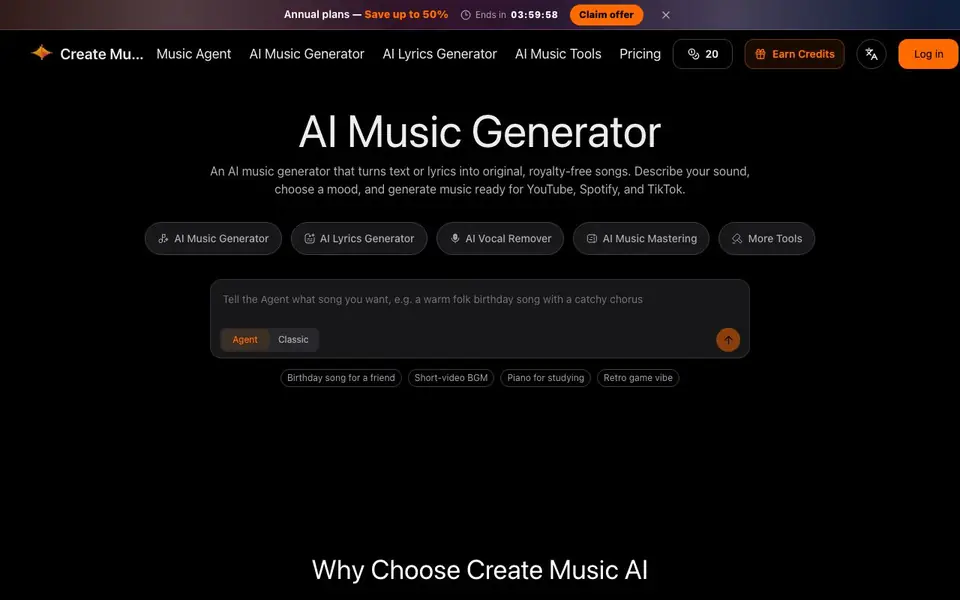
What is Create Music AI?
Create Music AI is an all-in-one music creation platform. It turns text prompts or lyrics into original, royalty-free songs. You can generate full tracks with vocals or instrumentals, write structured lyrics, create song covers, and even turn finished tracks into music videos. The platform also includes a vocal remover, stem splitter, MIDI tools, and BPM analysis, so you can edit and refine music in one place.
You start by describing your sound and choosing a mood. The generator produces a preview in about 30 seconds, and you can listen before downloading. For paid plans, tracks come with a commercial license for YouTube, Spotify, TikTok, ads, and client projects. Annual subscribers can also download a license certificate. You can generate music for free to try the tool, and tracks can be up to 8 minutes long.
This tool suits musicians, content creators, and social media managers who need quick, copyright-safe music. It also helps podcasters, video editors, and advertisers who want original tracks without licensing headaches. The connected workflow lets you move from lyrics to song to video without switching platforms, which saves time for anyone producing music regularly.
Create Music AI features
- Text to music: Turn a text prompt into an original vocal or instrumental track.
- Lyrics generator: Draft verses, choruses, hooks, and bridges from a theme or story.
- Song cover generator: Create new vocal interpretations with different singing styles.
- Music video generator: Turn a finished track into visuals for YouTube, TikTok, and Reels.
- Vocal remover: Separate vocals from instrumentals for karaoke, remixing, or sampling.
What you can do with Create Music AI
- Generate background music for YouTube videos or TikTok posts.
- Write lyrics for a song based on a mood or story you describe.
- Create an acapella or instrumental track for a remix project.
- Master a recorded track to improve loudness and clarity before publishing.
How to get started with Create Music AI
- Go to the Create Music AI website and choose the AI Music Generator tool.
- Type a text prompt or paste lyrics, then pick a mood or style for your track.
- Preview the generated music in about 30 seconds, then download it or continue to editing tools.
Tips for better results with Create Music AI
- Describe your sound and mood in detail when using Create Music AI, including genre, tempo, and instrumentation, to get closer to the track you envision.
- Use the 30-second preview to test multiple prompts quickly with Create Music AI, then download only the versions that match your project's vibe.
- Start with the lyrics generator in Create Music AI to draft structured verses and choruses, then feed those lyrics into the music generator for a cohesive song.
- Combine Create Music AI's vocal remover and stem splitter on generated tracks to isolate parts for remixing or karaoke, expanding what you can do with one song.
Create Music AI pricing
Create Music AI has a free way to start, with paid plans for heavier use. Check createmusicai.ai for current limits and prices.
What to check before you rely on Create Music AI
- Check whether your chosen plan includes the commercial license you need for platforms like YouTube or Spotify, since free tracks may not cover commercial use.
- Verify if the free tier lets you download full-length tracks or only previews, as the website does not state download limits for unpaid use.
- Confirm the export formats available for stems and MIDI files, since the site lists these tools but does not specify output file types.
Who Create Music AI is for
Create Music AI suits content creators, musicians, social media managers and video editors. If that is not you, the AI music generators below may fit better.
Similar tools compared with Create Music AI
| Tool | What it is | Pricing |
|---|---|---|
| Create Music AI | AI music, lyrics, and video generator | Freemium |
| AIVA | AI music generation assistant | Freemium |
| Soundraw | AI music generator for royalty-free beats | Freemium |
| Suno | AI music and song generator | Freemium |
| ElevenLabs | AI voice generator and voice agents platform | Freemium |
Create Music AI FAQ
Is Create Music AI free to use?
Yes, you can generate music for free to try the tool. Tracks created under a paid plan include a commercial license for platforms like YouTube, Spotify, and TikTok. Annual subscribers can also download a license certificate.
What can I create with Create Music AI?
You can create full songs from text or lyrics, write structured lyrics, make song covers with different singing styles, turn tracks into music videos, remove vocals, and master audio. It also includes stem splitting and BPM analysis tools.
Can I use the music commercially?
Yes, tracks generated under a paid plan come with a commercial license for YouTube, Spotify, TikTok, ads, and client projects. Annual subscribers can download a license certificate for eligible tracks. Free generation is for trying the tool.
How long does it take to generate music?
You can preview AI music in as fast as 30 seconds. From prompt to playable audio takes under a minute, with no rendering queues or waiting. Tracks can be up to 8 minutes long.
What formats can I export from Create Music AI?
The Create Music AI website does not specify the exact export formats, such as MP3 or WAV. For details on available download formats, check the platform's download options after generating a track or contact their support.
Does Create Music AI work on mobile devices?
The Create Music AI website does not mention whether it has a mobile app or if the platform is fully accessible on phones. To confirm device compatibility, visit the site on your mobile browser or check the app store for a dedicated app.
What does the free plan of Create Music AI include?
Create Music AI lets you generate music for free to try the tool. The free plan allows you to create and preview tracks, but commercial use requires a paid plan. For specifics on free plan limits, like number of generations or downloads, check the pricing page.


