

What is Clariti.io?
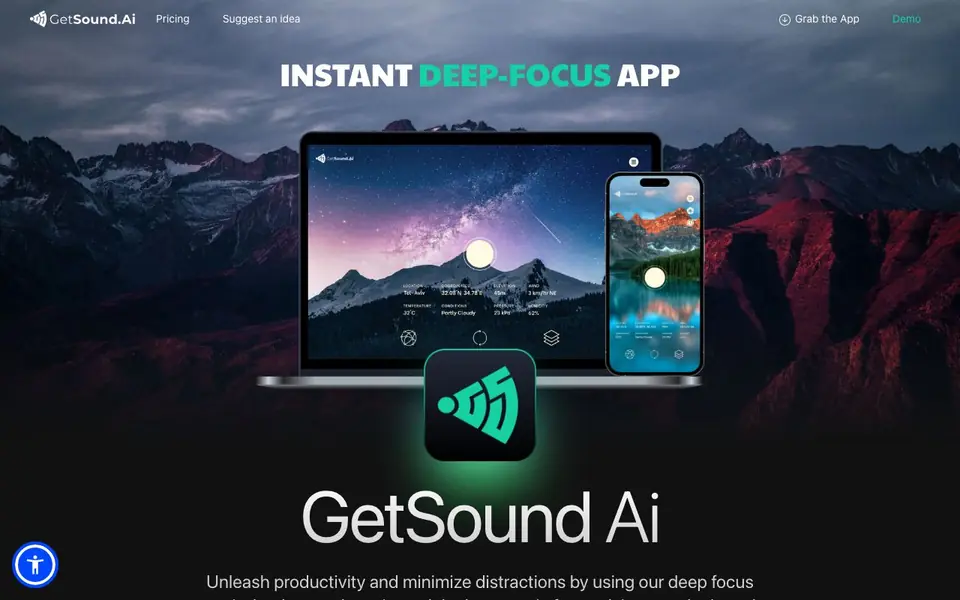
GetSound.ai is a desktop and mobile app that creates real-time soundscapes designed to boost your focus and reduce distractions. It blends deep focus music, background ambience, and study-friendly audio into one tool. The app uses what it calls RTS technology to generate a fresh, one-of-a-kind soundscape every time you use it, so the experience never feels repetitive.
You start by downloading the app for macOS, Windows, Linux, or mobile. The soundscape adapts to your environment based on factors like your location, weather, light exposure, and wind conditions. For example, if it is raining outside, you might hear rustling leaves and flowing water. As the weather changes, the audio changes with it, keeping your session tailored to the moment.
The free plan gives you limited daily usage and ambient layers, plus the ability to switch locations worldwide. Paid plans add unlimited soundscape refreshes, a session timer for meditation or sleep, and remove ads and watermarks. The website mentions a novelty effect, meaning the constant variation helps maintain your interest and focus over time. It suits students, remote workers, and anyone who wants a calmer, more productive environment.
Clariti.io features
- Real-time soundscapes: Generates a unique audio environment each session using RTS technology.
- Weather-reactive audio: Adjusts soundscapes based on your location, weather, light, and wind conditions.
- Deep focus music: Provides background tracks designed to minimize distractions and boost concentration.
- Session timer: Includes a timer for meditation or sleep sessions, available on paid plans.
- Cross-platform app: Works on macOS, Windows, Linux, and mobile devices.
What you can do with Clariti.io
- Study for exams with ambient soundscapes that adapt to your surroundings.
- Work on deep-focus tasks while listening to weather-reactive background audio.
- Meditate or sleep using the session timer and calming sound layers.
- Switch between worldwide locations to explore different sound environments.
How to get started with Clariti.io
- Download the GetSound.ai app for macOS, Windows, Linux, or mobile from the website.
- Open the app and let it detect your location and weather conditions.
- Choose a soundscape and start your focus, study, or relaxation session.
Tips for better results with Clariti.io
- Start each session with GetSound.ai's free plan to test how weather-reactive soundscapes affect your focus before committing to a paid tier.
- Use GetSound.ai's location switching to match your audio to your current environment, like choosing a rainy soundscape when you need calm.
- Pair GetSound.ai's deep focus tracks with your most demanding tasks, and let the novelty effect keep your attention from drifting.
- Check the weather before you open GetSound.ai, since its soundscape changes with conditions, so plan your listening around storms or sunshine.
Clariti.io pricing
Clariti.io has a free way to start, with paid plans for heavier use. Check getsound.ai for current limits and prices.
What to check before you rely on Clariti.io
- Verify your daily usage limit on the free plan, since the website states it is limited but does not specify exact minutes or sessions.
- Confirm whether the session timer and unlimited refresh require a paid plan, as the pricing page does not list prices or trial details.
- Review the privacy policy before using GetSound.ai, because the website does not state how your location or weather data is handled.
Who Clariti.io is for
Clariti.io suits students, remote workers, meditators and productivity enthusiasts. If that is not you, the AI music generators below may fit better.
Similar tools compared with Clariti.io
| Tool | What it is | Pricing |
|---|---|---|
| Clariti.io | Real-time AI soundscape app for focus | Freemium |
| AIVA | AI music generation assistant | Freemium |
| Soundraw | AI music generator for royalty-free beats | Freemium |
| Suno | AI music and song generator | Freemium |
| ElevenLabs | AI voice generator and voice agents platform | Freemium |
Clariti.io FAQ
What is GetSound.ai?
GetSound.ai is an app that generates real-time soundscapes to help you focus, study, or relax. It uses RTS technology to create a unique audio environment each time, and the soundscape changes based on your weather and location.
Is GetSound.ai free?
Yes, there is a free plan with limited daily usage and ambient layers. Paid plans offer unlimited soundscape refreshes, a session timer, and remove ads and watermarks. The website does not list specific prices.
Who is GetSound.ai for?
It is for anyone who wants to minimize distractions and improve focus, including students, remote workers, and people who meditate or need calming background audio for sleep.
What platforms does GetSound.ai support?
The app is available for macOS, Windows, Linux, and mobile devices. You can download it from the website, and there is also a mobile app option.
Does GetSound.ai require an account to use it?
The GetSound.ai website does not mention whether you need an account to use the app. To find out, check the app's sign-up or login screen after downloading, or contact support at support@getsound.ai for confirmation.
Can GetSound.ai export or integrate with other apps or devices?
The GetSound.ai website does not mention any export features or integrations with other apps or devices. For details on possible integrations or data export options, you would need to check the app's settings or contact support directly.
What does the free plan of GetSound.ai include exactly?
The free GetSound.ai plan includes limited daily usage, limited ambient environment layers, and the ability to switch locations worldwide. It does not include the session timer or unlimited soundscape refreshes, and it shows ads and watermarks. Paid plans remove these limitations.


