

What is CamClo?
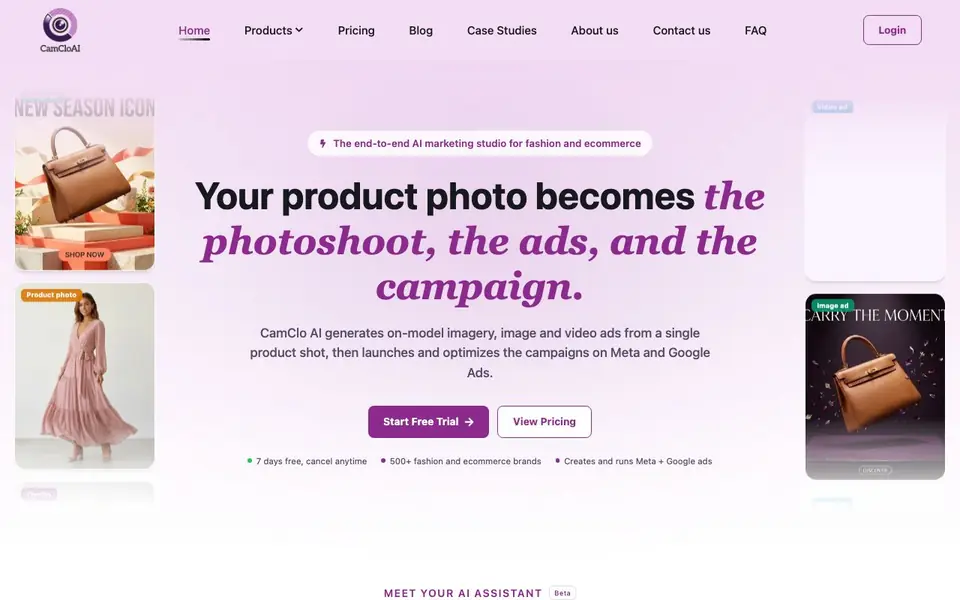
CamClo AI is an end-to-end marketing studio for fashion and ecommerce brands. It starts with a single product photo and generates on-model imagery, product videos, and ad creatives. You can also manage your Meta and Google ad campaigns from the same platform.
You upload product photos and describe the whole job in one message. The AI Assistant connects every step, from virtual try-on and model swap to background changes and pose generation. You review and approve generations before credits are used. The workflow scales to up to 500 products at once, keeping each model and outfit consistent.
Ad Studio applies your brand kit—colors, fonts, and tone—to create image ads and short-form video ads with motion, music, and voice-over. Ad Autopilot acts as an AI media buyer, setting goals, building plans, and optimizing campaigns. It suits fashion brands and agencies that want to streamline creative production and ad management. The site mentions a 7-day free trial, with no pricing details stated.
CamClo features
- Virtual Try-On: Put any wearable on a realistic model in under 2 minutes from a product photo.
- AI Assistant: Describe a workflow in one conversation, and it connects steps for up to 500 products.
- Ad Studio: Generate on-brand image and video ads sized for feed, story, and reel.
- Ad Autopilot: Set a sales goal and budget, and it builds and optimizes Meta and Google campaigns.
- Creative Tools: Includes image upscaler, background remover, generative fill, and magic eraser.
What you can do with CamClo
- Create on-model photos for your entire product catalog at once.
- Generate video ads with motion, music, and voice-over from still product shots.
- Run and optimize Meta and Google ad campaigns with a set ROAS target.
- Swap models or change backgrounds to match your brand aesthetic.
How to get started with CamClo
- Upload your product photos to the studio.
- Describe the workflow you want in one message to the AI Assistant.
- Review and approve generations, then launch ads or let Ad Autopilot run campaigns.
Tips for better results with CamClo
- Describe your entire workflow in one message to the AI Assistant, including model, setting, and pose, so it connects every step for up to 500 products at once.
- Review and approve each generation before credits are used in CamClo, since you control when spending happens and can avoid wasting credits on unwanted outputs.
- Use CamClo's Ad Studio with your full brand kit—colors, fonts, and tone—so generated image and video ads match your existing style without manual edits.
- Set a specific ROAS target and budget in Ad Autopilot, then let CamClo build and optimize your Meta and Google campaigns toward that goal.
CamClo pricing
CamClo offers a free trial before you pay. Check camclo3d.com for current plans.
What to check before you rely on CamClo
- Check whether the 7-day free trial includes all features or limits output volume, since the website does not state credit counts or usage caps for the trial.
- Verify what happens after the trial ends, as CamClo's pricing page does not list any paid plans, costs, or billing terms.
- Confirm data and privacy policies for uploaded product photos, especially if you handle unreleased designs, because the site does not detail data retention or usage rights.
Who CamClo is for
CamClo suits fashion ecommerce brands, ecommerce agencies and online retailers. If that is not you, the AI marketing tools below may fit better.
Similar tools compared with CamClo
| Tool | What it is | Pricing |
|---|---|---|
| CamClo | AI marketing studio for fashion ecommerce | Free trial |
| Copy.ai | AI-native go-to-market platform | See website |
| Jasper | AI agent workspace for marketing teams | Free trial |
| Writesonic | AI search growth and visibility platform | See website |
| Predis.ai | AI ad generator for video, UGC, and images | Freemium |
CamClo FAQ
What does CamClo AI do?
It turns your product photos into on-model imagery, image ads, and video ads. It also runs and optimizes your Meta and Google ad campaigns from one platform.
Is there a free trial?
Yes, CamClo AI offers a 7-day free trial that you can cancel anytime. The website does not state what happens after the trial or list paid plan prices.
Who is CamClo AI for?
It is for fashion and ecommerce brands and agencies. You can use it to create product photos, ads, and manage campaigns without needing a full creative team.
Can I process multiple products at once?
Yes, you can upload up to 500 products at once. The AI Assistant applies the same workflow to each, keeping models and outfits consistent across your catalog.
Does CamClo AI have a mobile app?
The CamClo AI website does not mention a mobile app. It describes the studio as working in a browser tab, so you can likely use it on any device with a web browser. For the most current information, check the CamClo AI website or contact their support team.
What file formats can CamClo AI export?
The CamClo AI website does not specify which file formats it exports for images or videos. It mentions generating on-model imagery, product videos, and ad creatives, but not the exact file types. To confirm export options, check the CamClo AI website or reach out to their support.
Can CamClo AI integrate with my ecommerce platform like Shopify?
The CamClo AI website does not mention any direct integrations with ecommerce platforms like Shopify. It focuses on generating creatives and managing Meta and Google ad campaigns. For integration details, check the CamClo AI website or contact their team for the latest information.


