

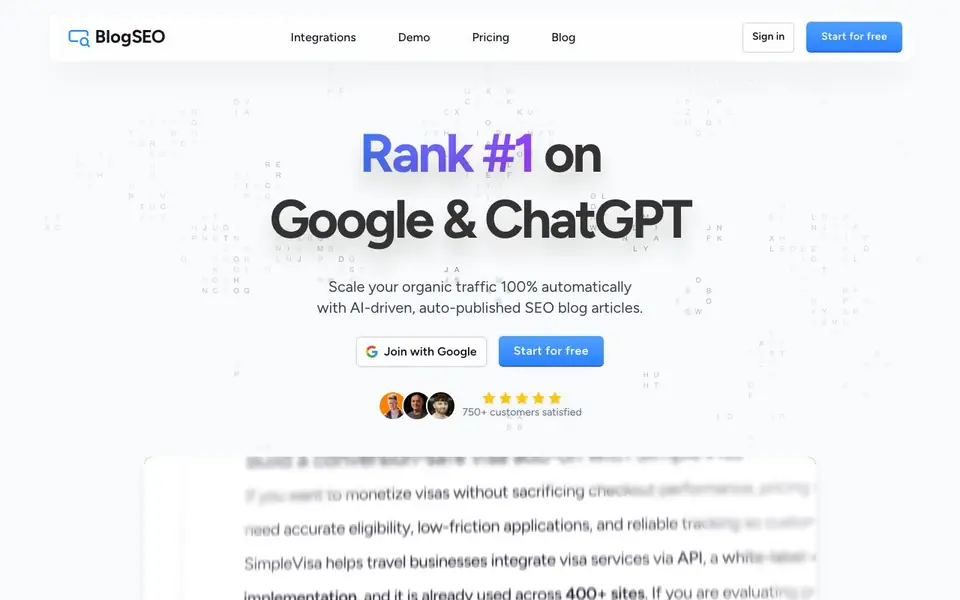
What is BlogSEO?
BlogSEO is an AI-powered SEO tool that helps you grow organic traffic by writing and publishing blog articles automatically. It analyzes your website structure, finds untapped keywords, monitors competitor strategies, and identifies content opportunities that promise the highest return. The tool matches your brand voice, so the articles feel like they come from your team.
Getting started is simple. You drop your website URL, and BlogSEO generates an SEO blog article in about two minutes. You can connect your content platform in roughly 30 seconds—it supports Shopify, WordPress, Webflow, Framer, Contentful, and custom webhooks. Once connected, the tool can publish articles while you sleep, fitting into your existing workflow without extra manual steps.
BlogSEO also includes a backlink exchange feature. It matches you with other users in your niche and automatically inserts contextual links to your site in their articles, helping boost your domain authority. The website mentions over 750 satisfied customers and includes testimonials from SaaS companies, SEO agencies, and small businesses. It appears to offer a free start, with paid plans available for advanced features.
BlogSEO features
- 360° Content Engine: Analyzes your site, competitors, and keywords to find high-ROI content opportunities.
- Brand Voice Matching: Writes articles that align with your brand's tone and style automatically.
- Auto-Publishing: Connects to your CMS and publishes articles without manual intervention.
- Backlink Exchange: Matches you with niche peers and inserts contextual backlinks to boost domain authority.
- Integration Support: Works with Shopify, WordPress, Webflow, Framer, Contentful, and custom webhooks.
What you can do with BlogSEO
- Generate SEO articles for your website in minutes by just dropping your URL.
- Automate daily blog publishing to maintain a consistent content schedule.
- Build domain authority through automated contextual backlinks from niche partners.
- Discover untapped keywords and competitor strategies to guide your content plan.
How to get started with BlogSEO
- Sign up and start for free, or join with Google.
- Drop your website URL to get an SEO blog article in about two minutes.
- Connect your content tool (like WordPress or Shopify) and let BlogSEO publish articles automatically.
Tips for better results with BlogSEO
- Start by dropping your website URL into BlogSEO and review the generated article's keyword choices before publishing, so you can steer future content toward topics that truly match your business goals.
- Connect BlogSEO to your CMS via the supported integrations like WordPress or Shopify, then test one auto-published article to confirm formatting and internal links appear correctly before enabling full automation.
- Use BlogSEO's competitor monitoring to spot content gaps in your niche, then brief the tool on those specific topics to produce articles that directly target untapped search demand.
- Check the backlink exchange feature carefully: review which niche partners BlogSEO matches you with and inspect the inserted links in your articles to ensure they stay contextually relevant and don't harm your site's quality.
BlogSEO pricing
BlogSEO has a free way to start, with paid plans for heavier use. Check blogseo.io for current limits and prices.
What to check before you rely on BlogSEO
- Verify what the free plan actually includes, since the website labels BlogSEO as freemium but does not list specific limits on articles, keywords, or publishing frequency.
- Confirm whether your CMS integration is fully supported for auto-publishing, as the site lists several platforms but does not state any setup steps or potential restrictions.
- Review BlogSEO's data and privacy terms, because the website does not explain how your site content, competitor data, or backlink partner information is stored or used.
Who BlogSEO is for
BlogSEO suits SEO agencies, SaaS businesses, Small business owners and Web design agencies. If that is not you, the AI marketing tools below may fit better.
Similar tools compared with BlogSEO
| Tool | What it is | Pricing |
|---|---|---|
| BlogSEO | AI SEO blog writer and publisher | Freemium |
| Copy.ai | AI-native go-to-market platform | See website |
| Jasper | AI agent workspace for marketing teams | Free trial |
| Writesonic | AI search growth and visibility platform | See website |
| Predis.ai | AI ad generator for video, UGC, and images | Freemium |
BlogSEO FAQ
How does BlogSEO generate articles?
It analyzes your website structure, finds untapped keywords, and monitors competitor strategies. Then it writes articles in your brand voice, including internal links and related content, ready for publishing.
Is BlogSEO free to use?
The website says 'Start for free' and 'Get it for free,' suggesting a free plan exists. It likely has paid plans for advanced features, but the site does not specify pricing details.
What platforms does BlogSEO integrate with?
It supports Shopify, WordPress, Webflow, Framer, Contentful, and custom webhooks. You can connect your content tool in about 30 seconds and automate publishing.
Who is BlogSEO best for?
Testimonials highlight SEO agencies, SaaS businesses, small business owners, and web design agencies. It suits anyone who wants to scale organic traffic without manual blogging effort.
Does BlogSEO require an account to start using it?
Yes, BlogSEO requires you to sign in to start. The website shows a 'Join with Google' button and a 'Start for free' option, so you can create an account using your Google account. After signing in, you can drop your website URL and generate your first article.
Can BlogSEO publish articles to my website automatically without manual steps?
Yes, BlogSEO can auto-publish articles to your connected content platform. It supports Shopify, WordPress, Webflow, Framer, Contentful, and custom webhooks. Once you connect your CMS, BlogSEO can publish articles while you sleep, fitting into your existing workflow without extra manual steps.
What does the free plan of BlogSEO include?
BlogSEO offers a free start, but the website does not specify the exact limits of the free plan. It says 'Start for free' and mentions paid plans for advanced features. To know what the free plan includes, check the pricing page on blogseo.io for details.


