

What is Backlink Management?
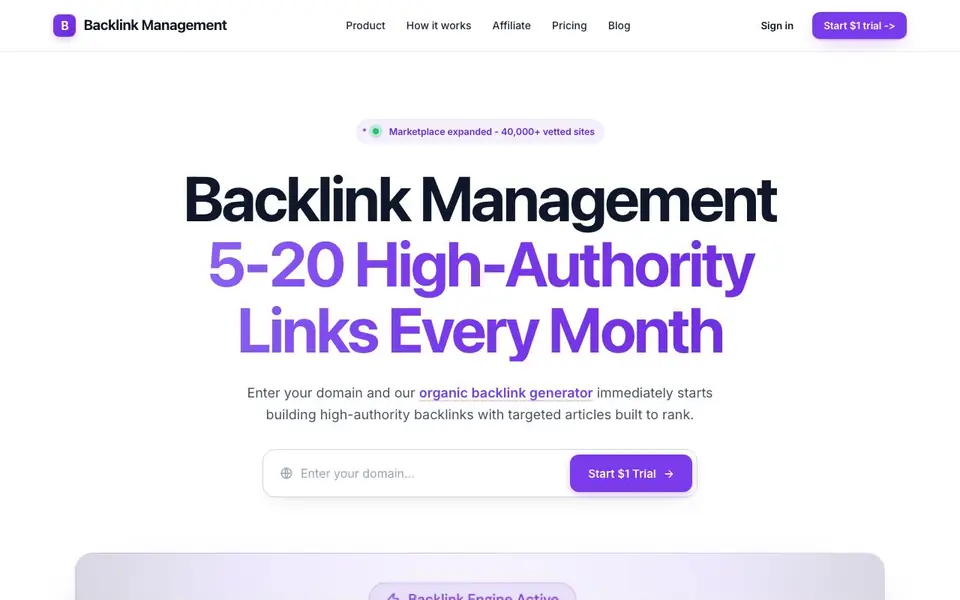
Backlink Management is a tool that builds backlinks and publishes SEO content for you automatically. You enter your domain, and it starts generating 5-20 high-authority links every month with targeted articles designed to rank. It also helps your business get mentioned by AI assistants like ChatGPT and Perplexity.
You get a full 30-day content strategy planned for you. The tool creates brand-aligned articles, research pages, product listicles, and explainers optimized for both Google and AI search engines. It publishes directly to your CMS, including WordPress, Webflow, and Shopify, so you don't need to handle integrations yourself.
The platform includes a marketplace of over 40,000 vetted websites for link placements across any industry. You also get backlink monitoring, toxic link removal handled by a real human, and tools like a SERP rank checker and anchor text analyzer. It suits SaaS, e-commerce, and local businesses looking to grow organic traffic without manual outreach.
Backlink Management features
- Organic backlink generator: Builds high-authority links automatically without manual outreach or prospecting.
- Branded SEO content: Creates articles aligned with your brand voice and optimized for search and AI visibility.
- 30-day content strategy: Plans a month of topics based on ranking and citation trends to maximize discoverability.
- Automated publishing: Publishes content directly to WordPress, Webflow, Shopify, and other CMS platforms.
- Toxic link removal: A human audits, disavows, and cleans up harmful backlinks for you.
What you can do with Backlink Management
- Rank higher on Google with daily SEO-optimized articles targeting high-intent keywords.
- Get your business recommended by AI assistants like ChatGPT and Perplexity in real answers.
- Build contextual backlinks through a trusted network of high-DR industry sites.
- Monitor your backlinks and catch lost or changed links before they hurt your rankings.
How to get started with Backlink Management
- Enter your domain on the website to start the organic backlink generator.
- The tool plans a 30-day content strategy and creates brand-aligned articles for you.
- It publishes the content to your CMS and builds high-authority backlinks automatically each month.
Tips for better results with Backlink Management
- Enter your domain and review the 30-day content strategy before it starts publishing, so you can adjust topics to match your business priorities and avoid irrelevant placements.
- Use Backlink Management's anchor text analyzer to check the distribution of your backlinks, and adjust the mix to avoid over-optimized anchors that could trigger Google penalties.
- Monitor your dashboard weekly for new links and lost or changed ones, because catching a dropped backlink early lets you ask the human team to fix it before rankings suffer.
- Verify the articles Backlink Management generates align with your brand voice by reviewing the first few samples, then tweak the brand colors and fonts in the settings to improve consistency.
Backlink Management pricing
Backlink Management offers a free trial before you pay. Check backlinkmanagement.io for current plans.
What to check before you rely on Backlink Management
- Check whether the $1 trial automatically renews into a paid plan, since the website does not state the trial length or renewal terms clearly.
- Confirm which CMS platforms are supported beyond WordPress, Webflow, and Shopify, because the site does not list all integration options explicitly.
- Review the marketplace's 40,000 sites for your industry, but verify that the placements are genuinely high-authority and not spam, since the site does not disclose vetting criteria.
Who Backlink Management is for
Backlink Management suits SaaS companies, E-commerce brands, Local businesses and SEO growth teams. If that is not you, the AI marketing tools below may fit better.
Similar tools compared with Backlink Management
| Tool | What it is | Pricing |
|---|---|---|
| Backlink Management | Automated backlink and SEO content service | Free trial |
| Copy.ai | AI-native go-to-market platform | See website |
| Jasper | AI agent workspace for marketing teams | Free trial |
| Writesonic | AI search growth and visibility platform | See website |
| Predis.ai | AI ad generator for video, UGC, and images | Freemium |
Backlink Management FAQ
How does Backlink Management build backlinks?
It uses a marketplace of over 40,000 vetted websites. The tool places contextual backlinks on high-DR sites in your industry, so you don't have to do manual outreach or prospecting.
What does the $1 trial include?
The website mentions a $1 trial to start. It doesn't specify exactly what's included, but the main service generates 5-20 high-authority links per month with targeted articles.
Who is this tool for?
It's built for growth teams at fast-moving companies, including SaaS, e-commerce, and local businesses. Anyone wanting to grow organic traffic without doing manual link building or content creation.
Does it work with my website platform?
Yes, it publishes directly to your CMS. The website lists WordPress, Webflow, Shopify, and more, so you can automate publishing without integration headaches.
Does Backlink Management work on mobile devices or only on desktop?
The Backlink Management website does not specify whether it has a mobile app or a mobile-optimized interface. You can likely use it through a web browser on any device, but for the best experience, check the platform after starting your trial or contact their support for details.
Can Backlink Management export my backlink data or reports to CSV or other formats?
The Backlink Management website does not mention specific export options for your backlink data or reports. It does offer monitoring tools like a SERP rank checker and anchor text analyzer, but you would need to log in to see if export features are available. Check your dashboard after starting the trial.
Does Backlink Management require me to create an account before starting the $1 trial?
To start the $1 trial for Backlink Management, you will need to sign up and create an account, as the website prompts you to sign in or start the trial. The trial likely includes access to the platform's features, but you should review the sign-up process to confirm what information is required.


