

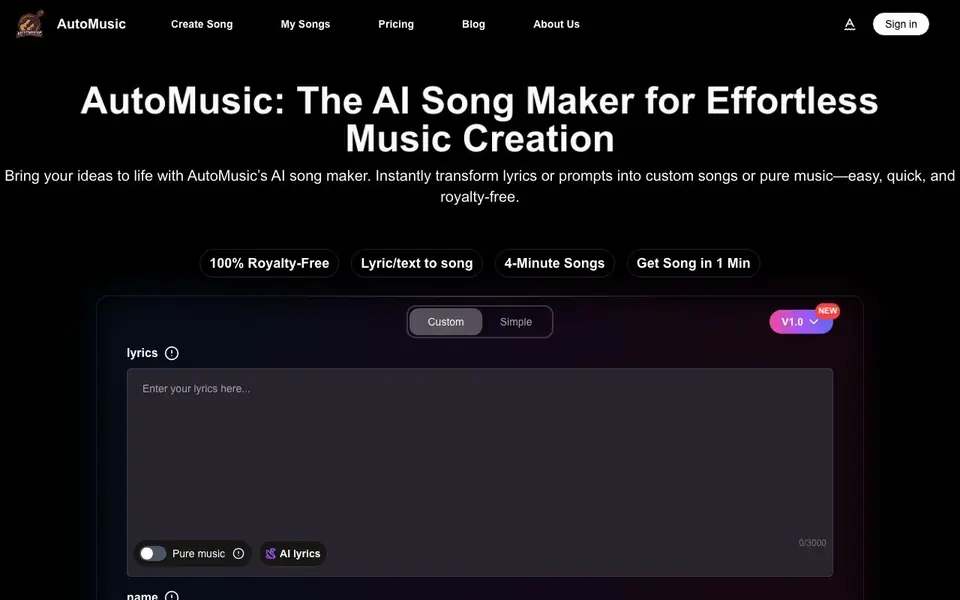
What is AI Song Maker?
AutoMusic is an AI song maker that converts text or lyrics into full tracks, including melody, vocals, harmony, and beats. You can also create pure instrumental music. Every song you make is royalty-free, so you can use it for personal or commercial projects without worrying about copyright claims.
To get started, you choose your music type: write your own lyrics, use the AI-assisted lyric generator, or go instrumental. Then pick a style—male or female vocals, or no vocals—and select a genre like pop, rap, acoustic, or EDM. After you click generate, your song appears within seconds, ready to preview and download.
AutoMusic suits a wide range of users, from social media creators and game developers to educators, marketers, and music producers. The website mentions that generating a song requires 3 credits, and there is a free plan to start. It does not specify the exact number of free credits or the pricing for paid plans on the homepage.
AI Song Maker features
- Text or lyrics to song: Turn a phrase, mood, or full verse into a complete track with vocals and instruments.
- Pure music mode: Create instrumental tracks without any vocals for background or production use.
- AI lyrics generator: Get help writing lyrics when you don't have your own words ready.
- Style and voice selection: Choose male or female vocals, or go instrumental, and pick a genre like pop or EDM.
- Royalty-free output: Use your generated songs for personal, social media, or commercial projects without copyright issues.
What you can do with AI Song Maker
- Create unique soundtracks for YouTube or TikTok videos.
- Design adaptive in-game music for interactive experiences.
- Turn lessons into engaging musical content for students.
- Generate jingles and background scores for marketing campaigns.
How to get started with AI Song Maker
- Sign up for an account on AutoMusic's website.
- Choose your music type: custom lyrics, AI lyrics, or pure instrumental.
- Pick a voice style and genre, then click generate to create your song.
Tips for better results with AI Song Maker
- Write specific lyrics with clear structure, like verses and a chorus, to guide AutoMusic toward a more coherent song. Vague prompts often produce generic results.
- Experiment with different genre, mood, and voice combinations in AutoMusic to find the sound you want. Small changes can dramatically alter the final track.
- Use AutoMusic's AI lyrics generator when you lack ideas, but edit the output before generating to ensure the lyrics match your intended theme and tone.
- Preview your generated AutoMusic song fully before downloading, and regenerate with adjusted settings if sections sound off. This saves credits and improves quality.
- checks
AI Song Maker pricing
AI Song Maker has a free way to start, with paid plans for heavier use. Check automusic.ai for current limits and prices.
What to check before you rely on AI Song Maker
- Confirm how many free credits you get with AutoMusic's free plan, since the website does not state the exact number. This affects how many songs you can test.
- Check the pricing for paid plans on AutoMusic's pricing page, as the homepage does not list costs. You need this to budget for ongoing use.
- Verify AutoMusic's export formats and audio quality before relying on it for professional work, since the website does not specify these details clearly.
Who AI Song Maker is for
AI Song Maker suits content creators, game developers, educators and music producers. If that is not you, the AI music generators below may fit better.
Similar tools compared with AI Song Maker
| Tool | What it is | Pricing |
|---|---|---|
| AI Song Maker | AI music generator for songs and tracks | Freemium |
| AIVA | AI music generation assistant | Freemium |
| Soundraw | AI music generator for royalty-free beats | Freemium |
| Suno | AI music and song generator | Freemium |
| ElevenLabs | AI voice generator and voice agents platform | Freemium |
AI Song Maker FAQ
What does AutoMusic do?
AutoMusic is an AI song maker that turns your text or lyrics into complete songs with melody, vocals, harmony, and beats. You can also create pure instrumental tracks. It's designed to be fast and simple, with songs ready in about a minute.
Is AutoMusic free to use?
The website says it's 'free to start,' and generating a song requires 3 credits. It doesn't specify how many free credits you get or the cost of paid plans. For exact pricing details, check the Pricing page on their site.
Who is AutoMusic for?
AutoMusic is for anyone who wants to create music without prior experience. It's used by social media creators, indie filmmakers, game developers, educators, marketers, and music producers. You can use it for fun or for professional projects.
Can I use the songs commercially?
Yes, all songs generated with AutoMusic are royalty-free, meaning you can use them for personal or commercial purposes without worrying about copyright claims. This includes use in videos, games, ads, or other projects.
Can I use AutoMusic songs in my YouTube videos or TikTok content?
Yes, AutoMusic generates royalty-free songs, so you can use them in your YouTube or TikTok videos without worrying about copyright claims. The website states that all tracks are royalty-free for personal and commercial use. For specific platform policies, you may want to check each platform's guidelines.
What does the free plan on AutoMusic include?
AutoMusic offers a free plan to start, but the website does not specify the exact number of free credits or what features are included. Generating a song requires 3 credits, and the homepage mentions a free plan. For detailed free plan limits, check the pricing page or sign in to see your available credits.
Does AutoMusic work on mobile devices or only on desktop?
The AutoMusic website does not mention specific device support. It appears to be a web-based tool, so you can likely access it through a browser on any device, including mobile phones and tablets. For the best experience, check the site on your device or contact support for more details.


