

What is AI Music Generator?
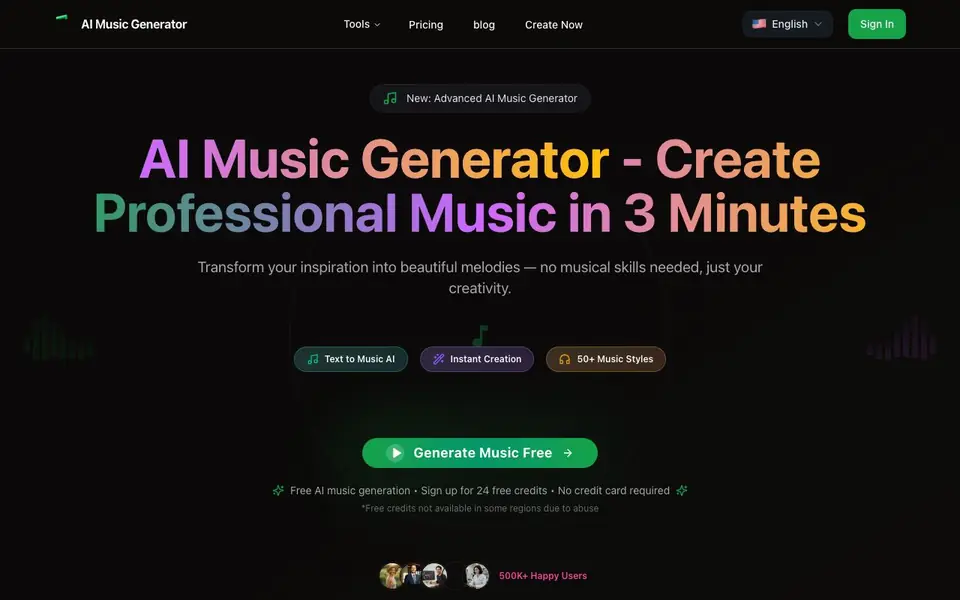
AI Music Generator creates full songs from a simple text description. You type what you want—style, mood, instruments, vocals—and the AI handles lyrics, melody, and arrangement. It offers over 50 music styles, from classical to hip-hop, and can blend genres or match a specific emotional tone. The result is a broadcast-ready track you can download in WAV, MP3, or MIDI.
To start, you sign in and pick a model, choose whether you want vocals or an instrumental, and write a description of up to 500 characters. The AI then generates a complete song in under 60 seconds. You can regenerate endlessly to explore variations until you find the perfect take. No musical experience or instruments are needed.
The tool is aimed at content creators, musicians, and anyone who needs original music quickly. All generated music is 100% royalty-free with commercial licensing included, so you can use it in videos, podcasts, or other projects. The site notes that free credits are not available in some regions due to abuse, and you need to sign in to start creating.
AI Music Generator features
- Text-to-music generation: Describe your musical vision in words, and the AI creates a complete song with lyrics and melody.
- Vocals or instrumental: Choose whether your track includes AI-generated vocals or is purely instrumental.
- 50+ music styles: Pick from pop, rock, classical, electronic, jazz, country, hip-hop, and more, or blend genres.
- 60-second generation: Get a full song from your description in under one minute, no waiting or music theory needed.
- Royalty-free downloads: Download your tracks as WAV, MP3, or MIDI with full commercial licensing included.
What you can do with AI Music Generator
- Create a custom soundtrack for your YouTube video by describing the mood and style.
- Generate background music for a podcast episode without worrying about copyright.
- Produce a demo track in a specific genre to share with collaborators or clients.
- Experiment with genre fusion by blending two styles in your text description.
How to get started with AI Music Generator
- Sign in to your account on the AI Music Generator website.
- Choose a model, select vocals or instrumental, and write a description of the music you want.
- Click Start Creating and wait under a minute for your song, then download it in WAV, MP3, or MIDI.
Tips for better results with AI Music Generator
- Write a detailed description up to 500 characters, specifying style, mood, instruments, and vocals, to get a track that closely matches your vision.
- Use AI Music Generator's regenerate feature to explore variations of your prompt until you find the perfect take for your project.
- Experiment with genre fusion by blending two styles in your description, like 'jazz with hip-hop beats', to create unique sounds.
- Choose between vocals and instrumental before generating, and listen to the gallery examples to understand how different prompts sound.
AI Music Generator pricing
AI Music Generator has a free way to start, with paid plans for heavier use. Check musicgeneratorai.io for current limits and prices.
What to check before you rely on AI Music Generator
- Check if free credits are available in your region, as the website states they are not offered in some areas due to abuse.
- Verify the pricing details for paid plans, since the site only labels the tool as freemium and does not list specific prices.
- Confirm the export formats you need are supported, though the profile mentions WAV, MP3, and MIDI downloads.
Who AI Music Generator is for
AI Music Generator suits content creators, musicians, podcasters and video editors. If that is not you, the AI music generators below may fit better.
Similar tools compared with AI Music Generator
| Tool | What it is | Pricing |
|---|---|---|
| AI Music Generator | AI music generator from text | Freemium |
| AIVA | AI music generation assistant | Freemium |
| Soundraw | AI music generator for royalty-free beats | Freemium |
| Suno | AI music and song generator | Freemium |
| ElevenLabs | AI voice generator and voice agents platform | Freemium |
AI Music Generator FAQ
How does the AI music generator work?
You type a text description of the music you want, including style, mood, and instruments. The AI interprets your words, creates lyrics if you choose vocals, and composes a full song with structure like intro, verse, and chorus. It generates the track in under 60 seconds.
Is there a free plan?
Yes, the site says you can sign up for 24 free credits with no credit card required. However, free credits are not available in some regions due to abuse. After that, you can check the pricing page for paid plans.
Can I use the music commercially?
Yes, all music generated is 100% royalty-free and includes complete commercial licensing. You can use it in videos, podcasts, ads, or any other project without paying additional royalties.
What file formats can I download?
You can download your generated music in WAV, MP3, and MIDI formats. These are compatible with all major platforms, so you can use them in editing software, upload to streaming services, or share directly.
Does AI Music Generator require an account to use it?
Yes, you need to sign in to start creating music with AI Music Generator. The website states that you must sign in to begin generating tracks. Free credits are available upon sign-up, but they are not offered in some regions due to abuse.
What devices or platforms does AI Music Generator run on?
AI Music Generator is a web-based tool, so you can use it on any device with a web browser and internet connection. The website does not mention dedicated mobile apps or offline software, so check the site for the latest platform details.
Can I use AI Music Generator to create music for a client or commercial project?
Yes, AI Music Generator includes full commercial licensing with all generated tracks, so you can use them in client projects, videos, podcasts, or other commercial work. All music is royalty-free, which means you don't need to pay additional royalties for your use.


