

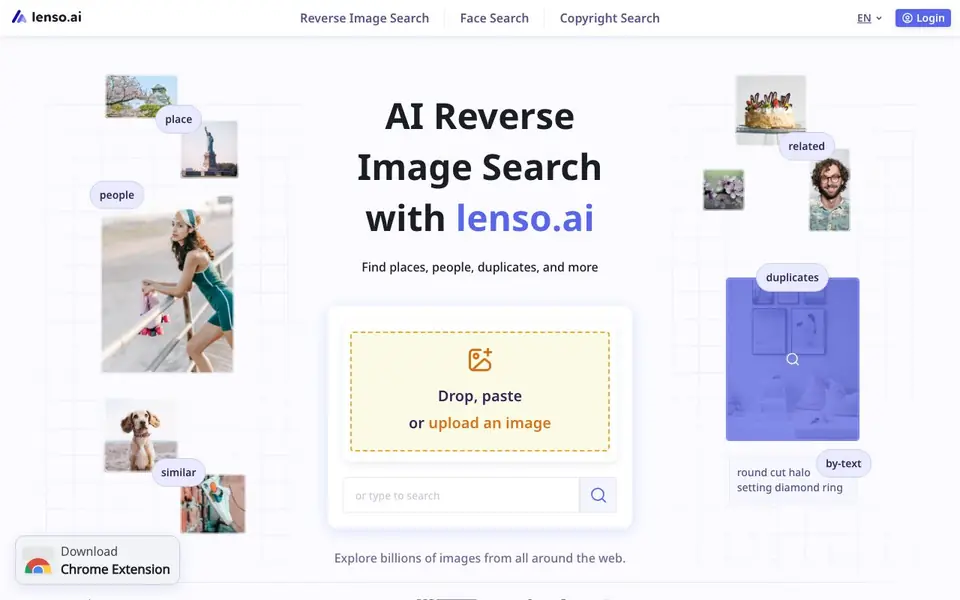
What is Lenso.ai?
Lenso.ai is an AI-powered reverse image search tool. You upload an image, and it finds matching photos across the web. It specializes in searching by face, place, duplicate, related, and similar images. Each category uses a dedicated AI model to deliver relevant results.
To use it, you drop, paste, or upload an image. The tool then scans billions of images from websites. You can refine results with filters like language, domain, date, size, or keywords. For deeper searches, Research Mode gives you up to 10,000 results for people and duplicates, which is 10 times more than standard searches.
It suits photographers, content creators, and anyone protecting copyrights. You can trace original sources and find exact duplicates. A Developer subscription offers up to 5,000 API calls per month for image and face search. The site also mentions a free face search trial, but it does not detail all pricing plans or limits.
Lenso.ai features
- Face Search: Finds where photos of your face appear online with high precision by matching facial details.
- Duplicate Finder: Locates exact copies of your images and traces their original sources across the web.
- Research Mode: Accesses up to 10,000 results for people and duplicates, giving you 10 times more pages to explore.
- Advanced Filters: Refines searches by page language, domain, date range, image size, or keyword in the title.
- Search Alerts: Sets alerts for categories you care about and notifies you when new matches appear.
What you can do with Lenso.ai
- Upload a selfie to see where your face appears publicly online.
- Find all duplicate copies of your copyrighted photos across websites.
- Trace the original source of an image you found on social media.
- Search for similar images of a product, like a diamond ring, to compare options.
How to get started with Lenso.ai
- Go to lenso.ai and drop, paste, or upload an image to start a search.
- Choose a search category like face, place, duplicate, or similar to see results.
- Use filters or Research Mode to refine results, then save or share your search.
Tips for better results with Lenso.ai
- Upload the clearest, highest-resolution image you have, since Lenso.ai matches based on visual details and a blurry photo will return fewer relevant results.
- Use Lenso.ai's Research Mode when you need exhaustive results for people or duplicates, because it returns up to 10,000 matches instead of the standard search limit.
- Apply advanced filters like language, domain, date range, and image size in Lenso.ai to narrow down large result sets and find the exact source or copy you need.
- Set up search alerts in Lenso.ai for categories you care about, so you get notified when new matches appear without manually re-running the same search.
Lenso.ai pricing
Lenso.ai has a free way to start, with paid plans for heavier use. Check lenso.ai for current limits and prices.
What to check before you rely on Lenso.ai
- Check the free plan limits before relying on Lenso.ai for regular work, since the site mentions a free face search trial but does not list all plan details or search quotas.
- Verify whether your intended use case, like tracing copyrighted images, is covered by the free tier or requires the Professional plan, as Research Mode and advanced filters are not free.
- Confirm the export options and data handling policies for your uploaded images, because the website does not state how long images are stored or whether they are used for training.
Who Lenso.ai is for
Lenso.ai suits photographers, content creators, copyright holders and researchers. If that is not you, the AI search engines below may fit better.
Similar tools compared with Lenso.ai
| Tool | What it is | Pricing |
|---|---|---|
| Lenso.ai | AI reverse image search engine | Freemium |
| You.com | AI-ready web search and answer APIs | Freemium |
| Perplexity | AI answer engine with real-time search | Free |
| Felo | Multilingual AI search and creation platform | Freemium |
| Consensus | AI search engine for research papers | See website |
Lenso.ai FAQ
What does lenso.ai do?
It is a reverse image search engine. You upload an image, and it finds matching photos online, including faces, places, duplicates, and similar images. It scans billions of web images to deliver results.
Is lenso.ai free to use?
The site says you can try face search for free, but it does not specify full free plan details. It mentions paid subscriptions, like a Developer plan for API access, so it appears to be freemium.
Who is lenso.ai for?
It is for people who need to track images online, such as photographers protecting copyrights, content creators finding duplicates, or anyone searching for similar images or where a face appears.
Can I use lenso.ai in my own app?
Yes, it offers a Reverse Image Search API. With a Developer subscription, you get up to 5,000 API calls per month for image and face search, and you can track usage in your user panel.
What image formats can I upload to lenso.ai?
The lenso.ai website does not specify which image formats are accepted for upload. To find out if your image file type is supported, check the upload area on the site or contact their support team for confirmation.
Does lenso.ai offer a mobile app?
The lenso.ai website does not mention a dedicated mobile app. You can access the service through a web browser on your computer or mobile device, but for information about a native app, check the official site or app stores.
Can I use lenso.ai to search for images by text instead of an image?
The lenso.ai website primarily describes searching by uploading an image. It mentions a 'by-text' option, but the details are not fully explained. For clarification on how text-based search works, review the site's features or contact their support.


